
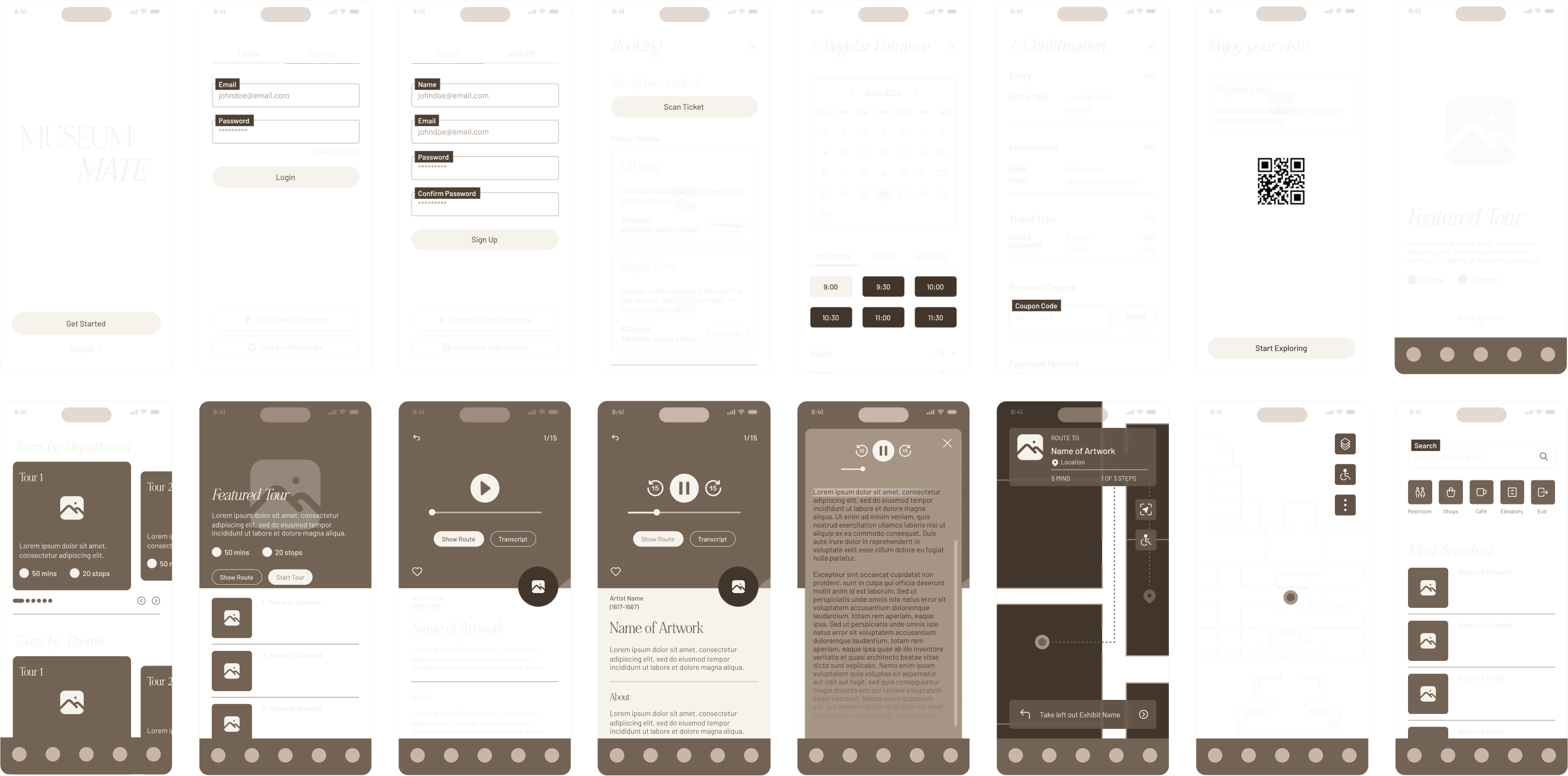
Serving as a structural blueprint to validate user needs and guide decisions, these wireframes illustrate the end-to-end user experience for the museum guide app, from onboarding and ticket booking to in-gallery exploration. They map out key user flows—account creation, ticket selection, tour discovery, artwork engagement, audio playback, and wayfinding—ensuring a seamless and intuitive journey throughout the visit.
The AR Museum Guide App is an immersive augmented reality (AR) application designed to enhance museum visitors’ experiences by providing interactive, informative, and engaging content through their smartphones. Using the app, visitors can explore exhibits with contextual overlays, virtual guides, and additional multimedia that enrich their understanding of art, history, and culture. The app tailors the experience based on user preferences, interests, and language, making museum visits more personalized and interactive.
YEAR
2023
ROLE
Product Designer
Interaction Designer
User Researcher
THE CHALLENGE
Traditional museum visits often rely on static experiences that limit interactivity, which can result in lower engagement. Information delivered through plaques or basic audio guides may not fully communicate the depth, context, or significance of exhibits. In large museum spaces, visitors frequently struggle with navigation, causing them to miss key highlights or feel overwhelmed by the scale of the environment. Additionally, limited accessibility for non-native speakers and individuals with disabilities can reduce inclusivity and prevent many visitors from fully enjoying the museum experience.
THE GOALS
The app enhances museum engagement through augmented reality overlays and rich multimedia content while offering virtual tours with personalized recommendations tailored to individual interests. It supports multiple languages and accessibility features to ensure an inclusive experience for all visitors. Smart navigation tools help users move efficiently through the museum, real-time updates keep them informed about events and activities, and offline or remote access allows the app to be used both on-site and at home.
Design Process
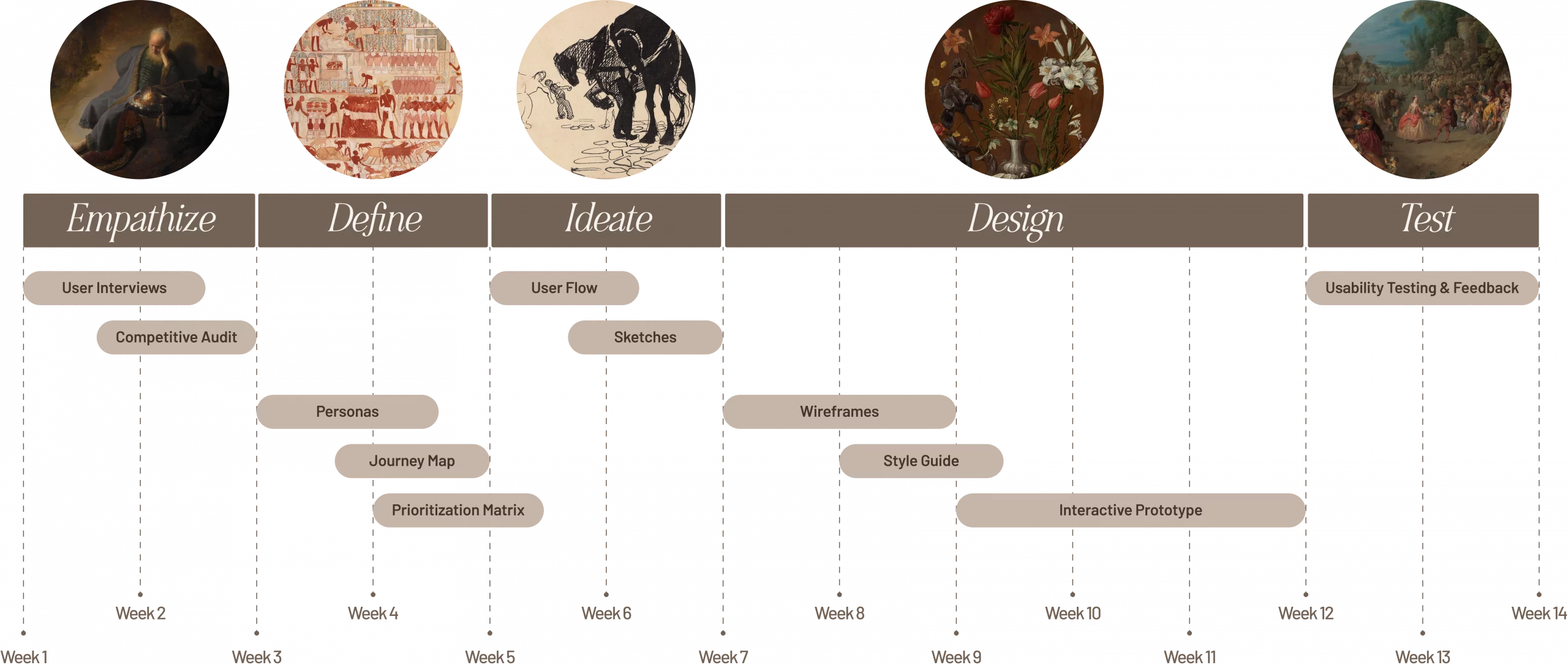
The design process for the Museum Mate App followed the five-step design thinking approach, starting with empathizing user needs through competitor research and user interviews. In the define phase, these insights were used to create user personas, journey maps, and a prioritization matrix. During ideate, user flows and sketches provided the initial stages of the app design. In the prototype stage, wireframes and interactive prototypes were developed to visualize the app’s features and flows, followed by the final stage of testing with users to gather feedback and iterate on the design.

User Research
To start off the research process, a questionnaire was created to gain user insights on visitors’ preferences while visiting museums, their opinions on AR, and what kind of features would enhance their visits.
Competitive Analysis
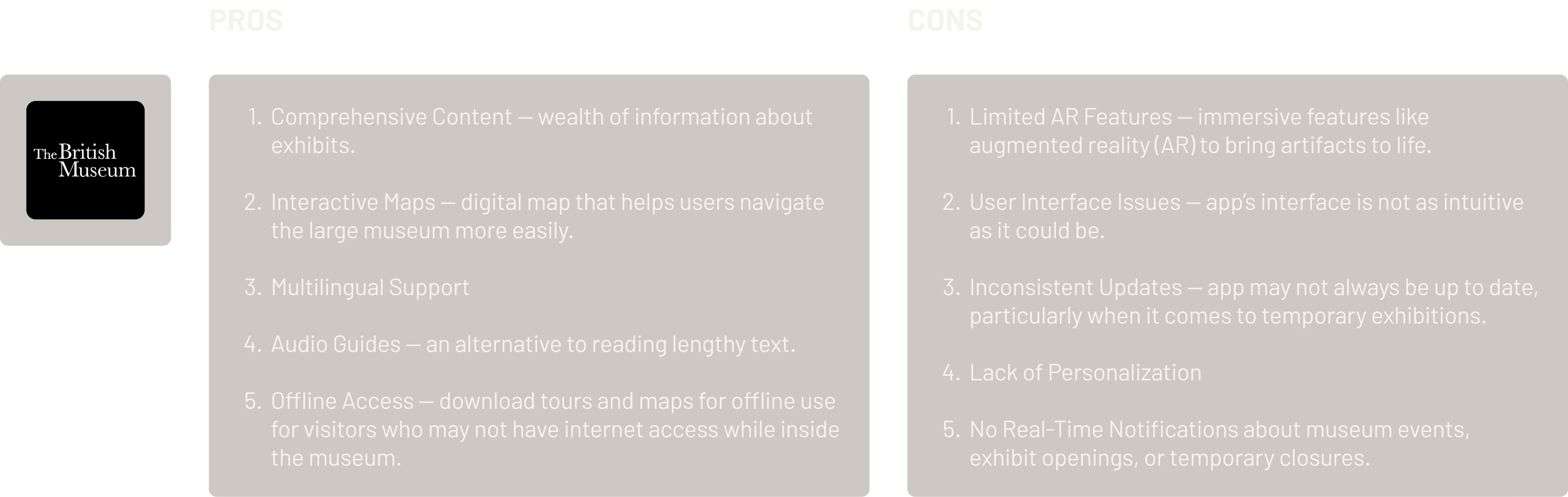
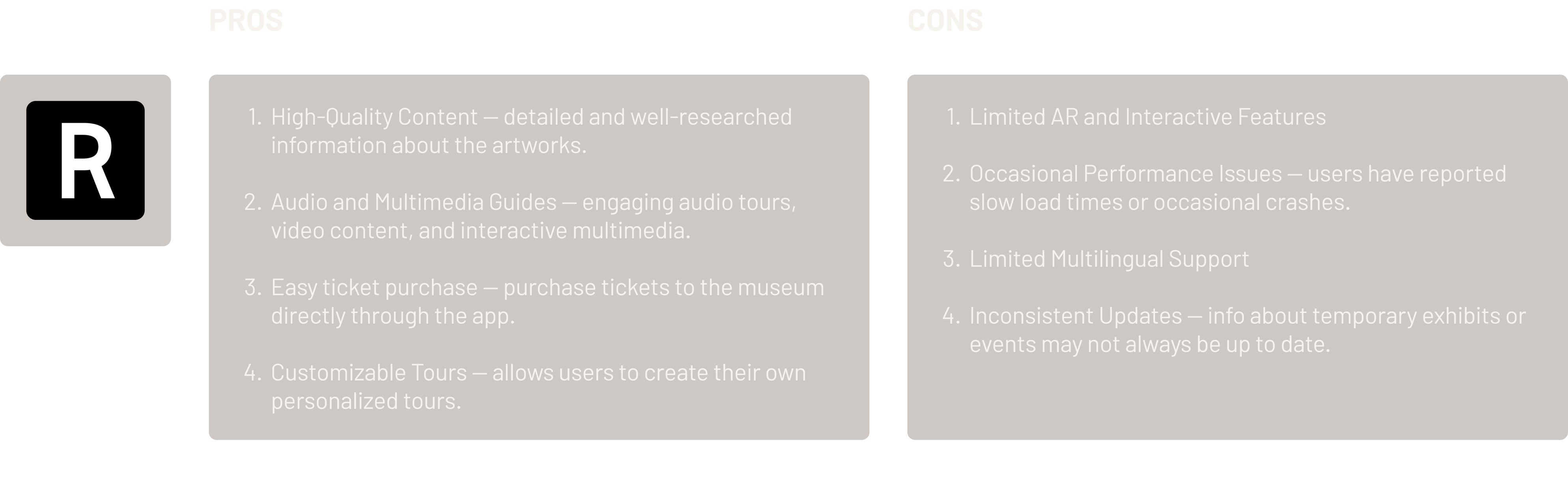
To design a distinctive product, a competitive analysis of similar services aimed at enhancing the museum experience was conducted. By examining user reviews and user flows, key strengths and weaknesses were identified in two competitive apps — the British Museum and the Rijksmuseum — offering valuable insights into their impact on user engagement.

Personas
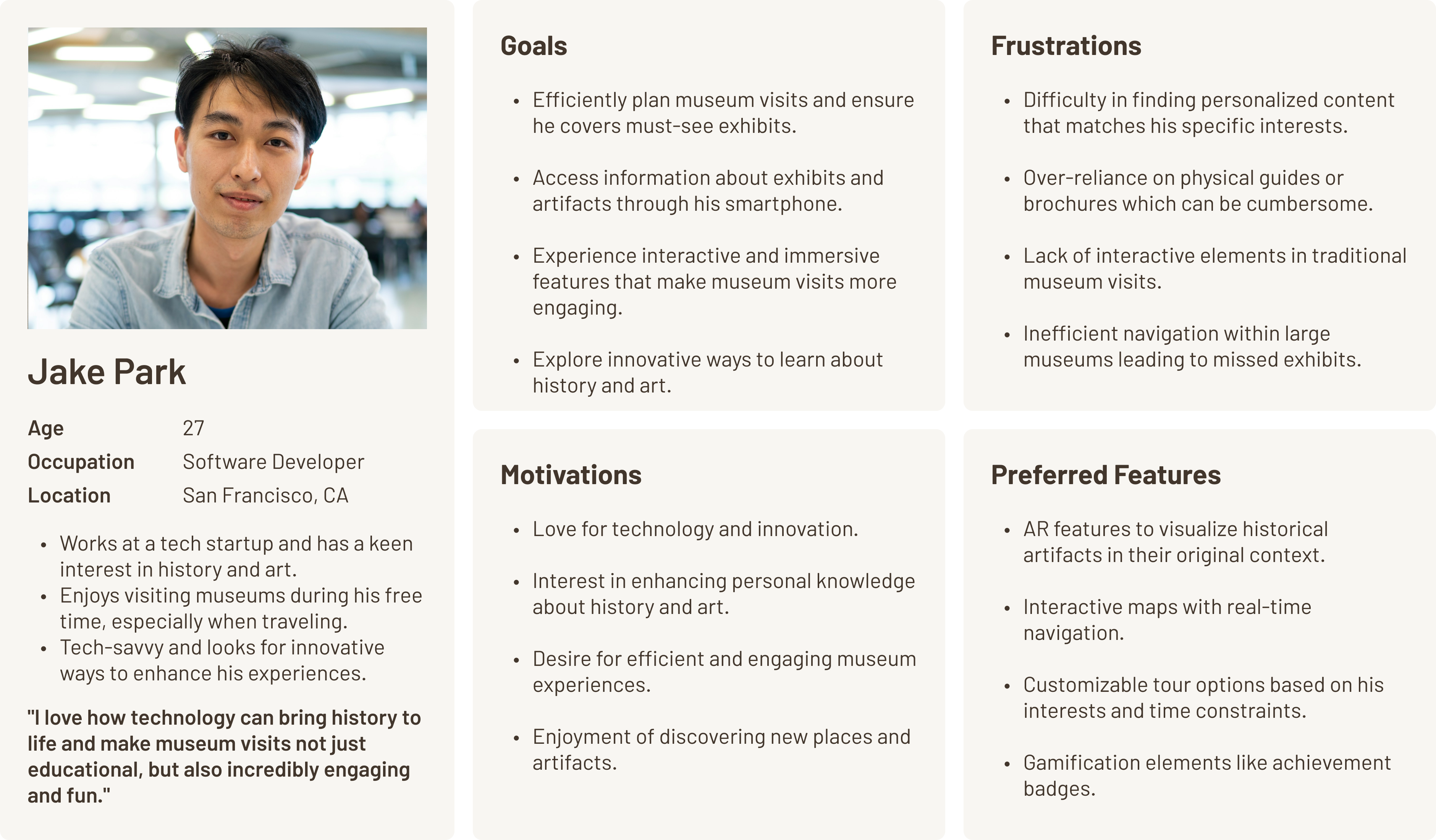
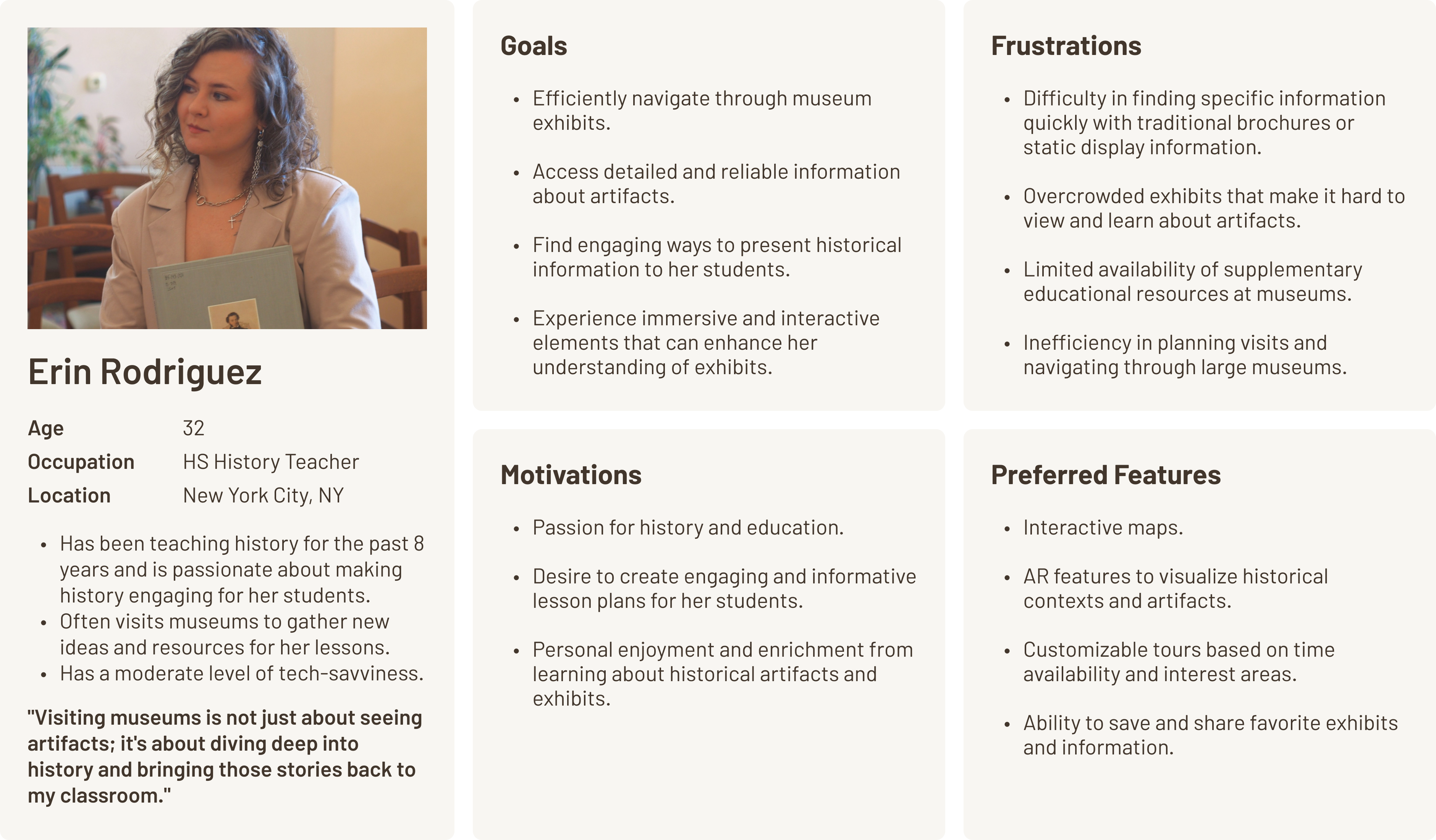
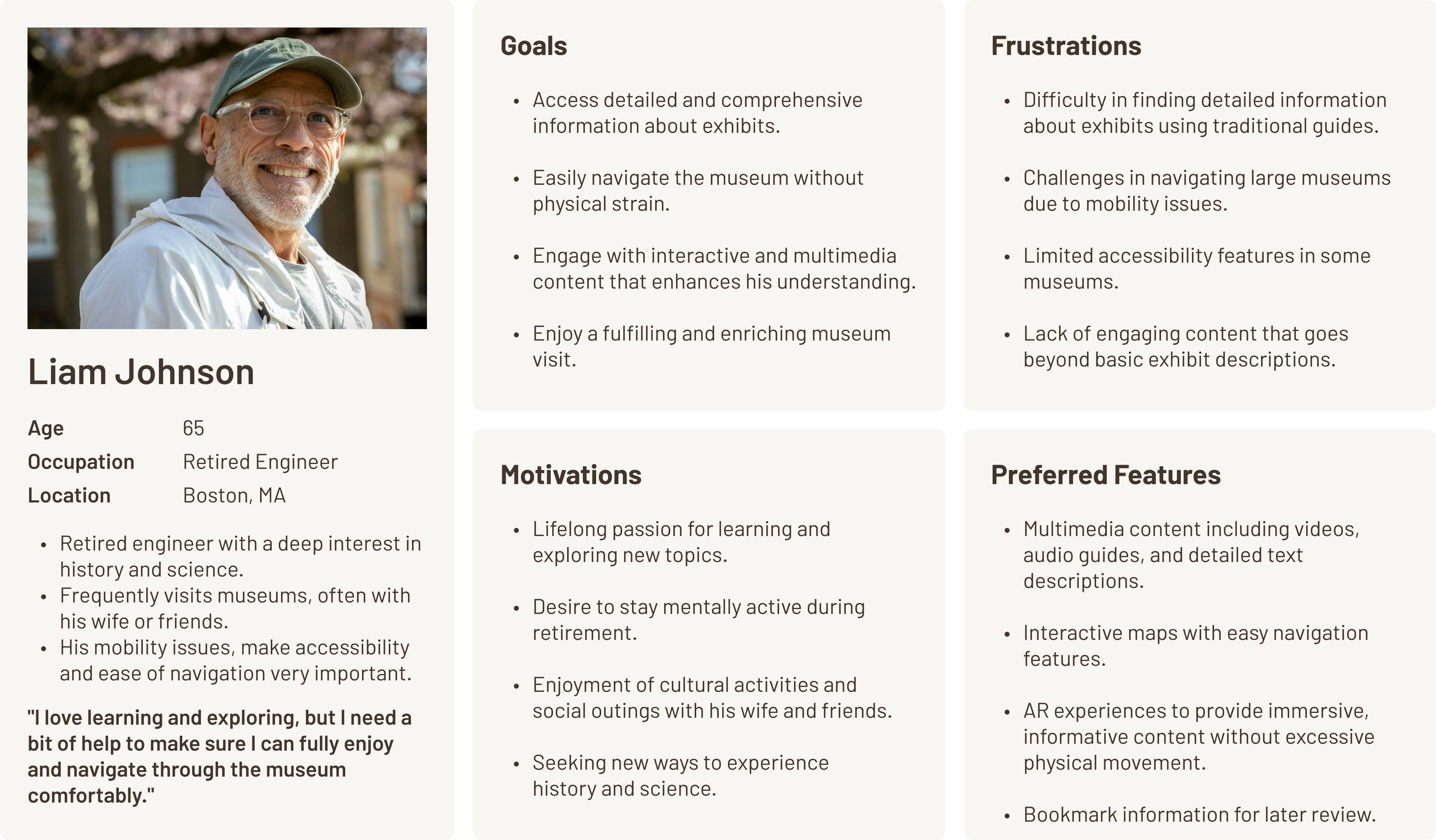
To better understand the diverse needs of museum visitors, three key personas were developed: Jake, Emily, and Liam. Jake reflects tech-savvy visitors who value efficiency, personalization, and immersive digital interactions. Emily represents educators seeking meaningful, information-rich experiences they can translate into learning opportunities. Liam represents older visitors who prioritize accessibility, comfort, and clear navigation while still seeking deep, engaging content. Together, these personas capture a wide range of user goals, behaviors, and challenges, helping guide the design of an inclusive and engaging museum guide app.
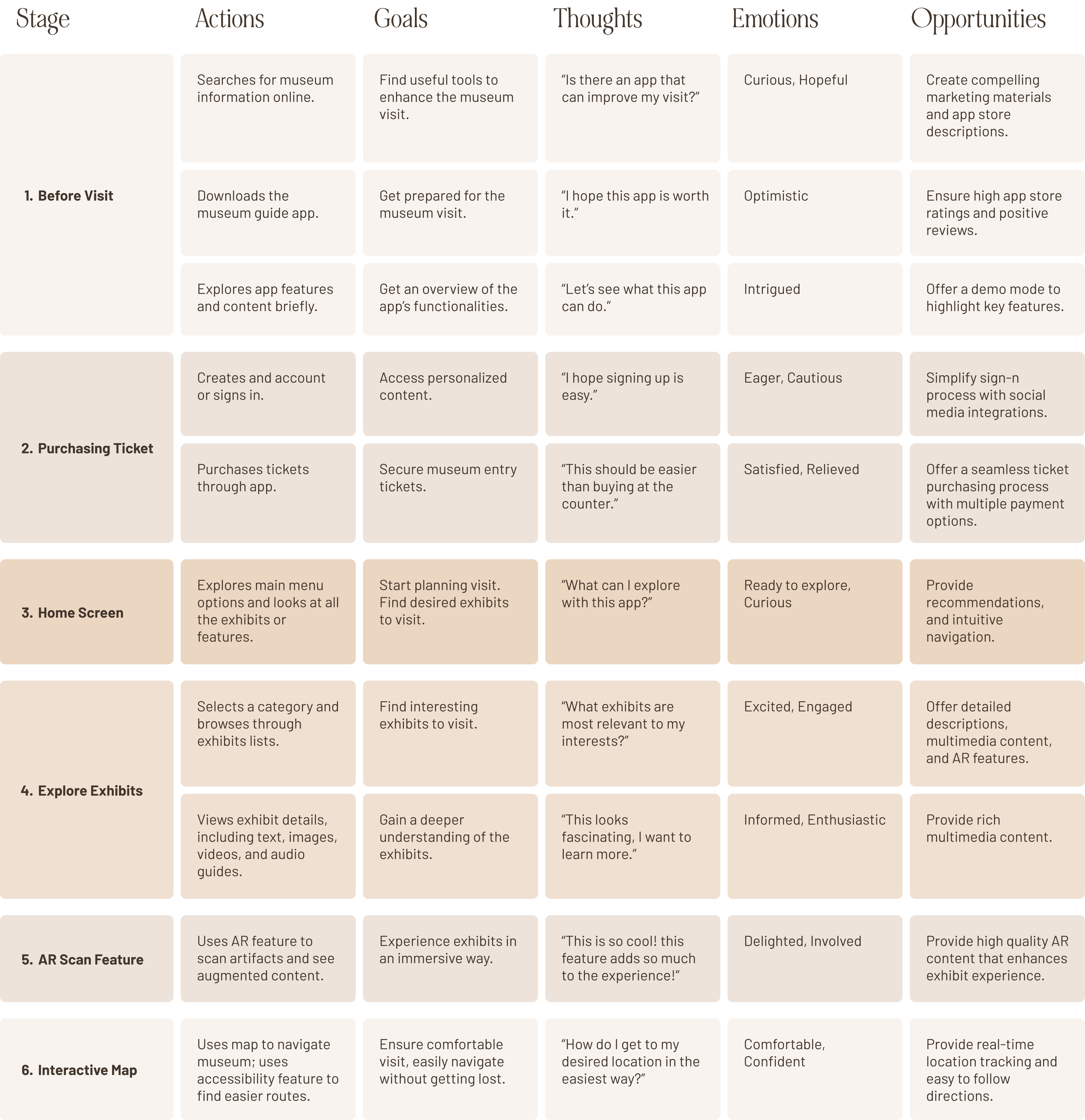
Journey Map
The journey map outlines the user experience of a museum guide app, from initial discovery to the end of their visit. It begins before the visit, where users search for museum information, download the app, and explore its features. Throughout, the app aims to enhance engagement, ease navigation, and provide enriching content, making the museum visit seamless and interactive.
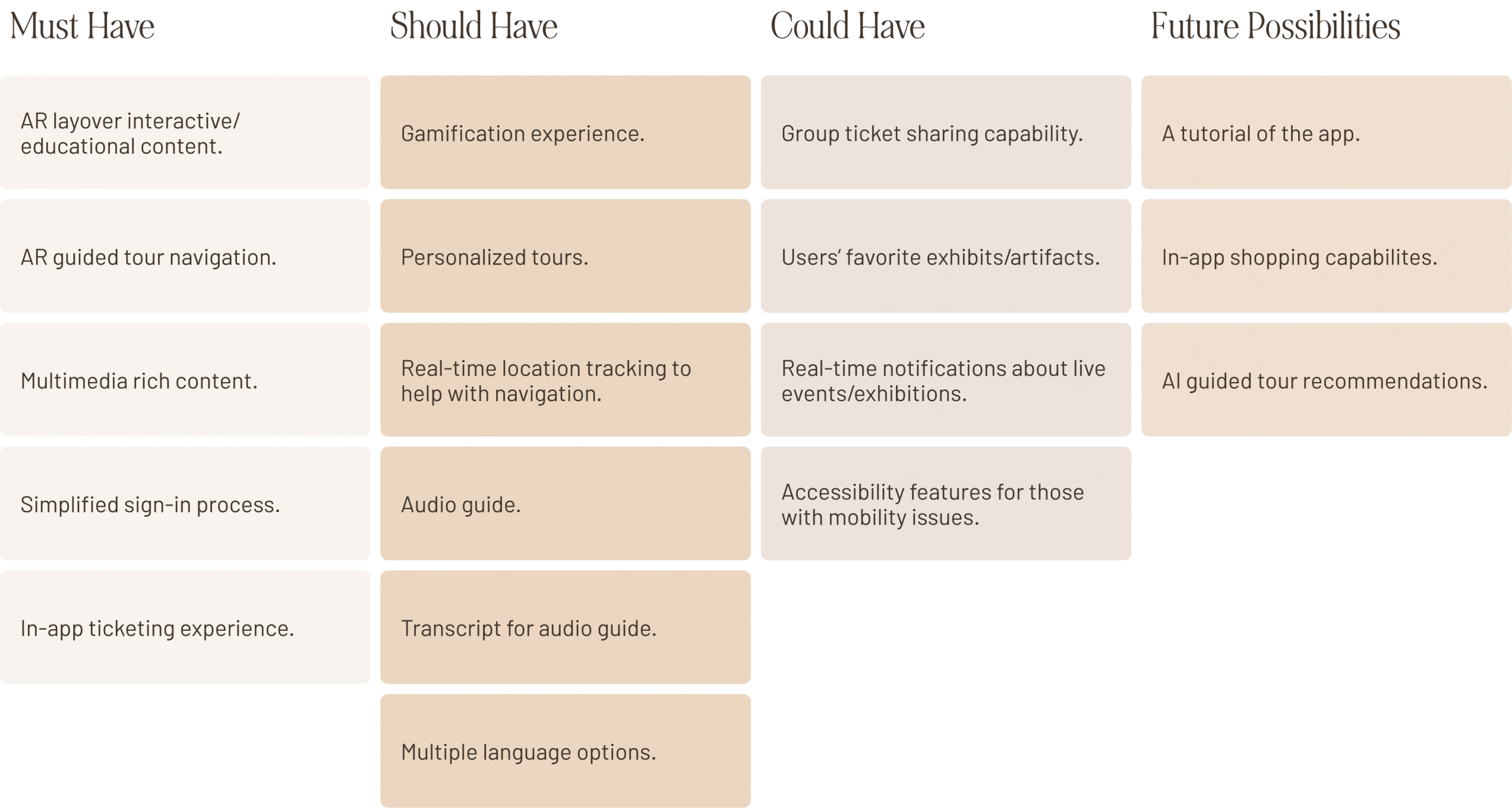
Prioritization Matrix
A prioritization matrix was used to rank and categorize features based on their importance and feasibility. This matrix categorizes features of the Museum Mate app based on priority and future potential.

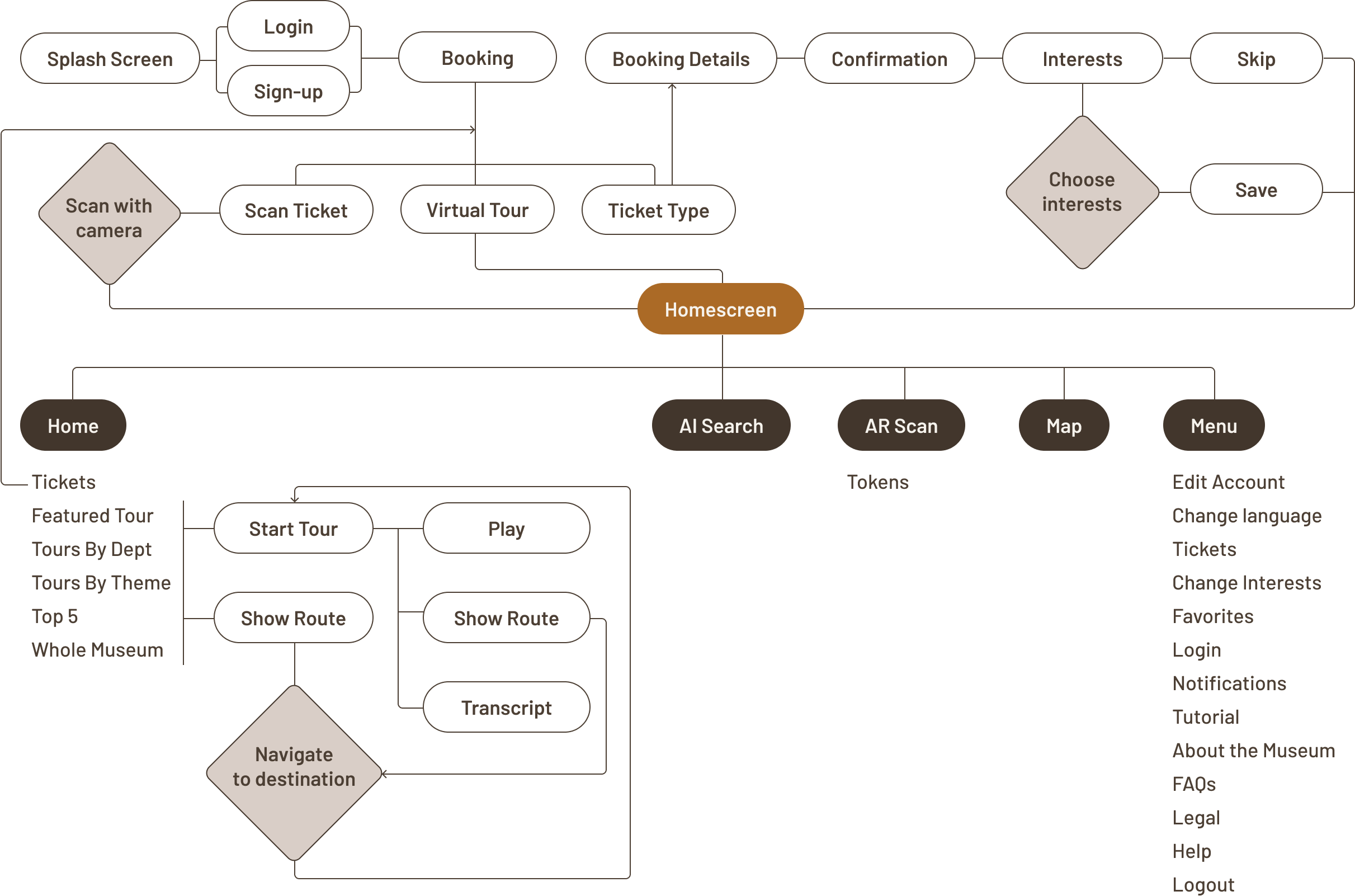
User Flow
This user flow diagram visually represents how users interact with the museum guide app, from initial login and ticket booking to exploring the museum through various features. It highlights key touchpoints like selecting interests, scanning tickets, and using AR for interactive content.
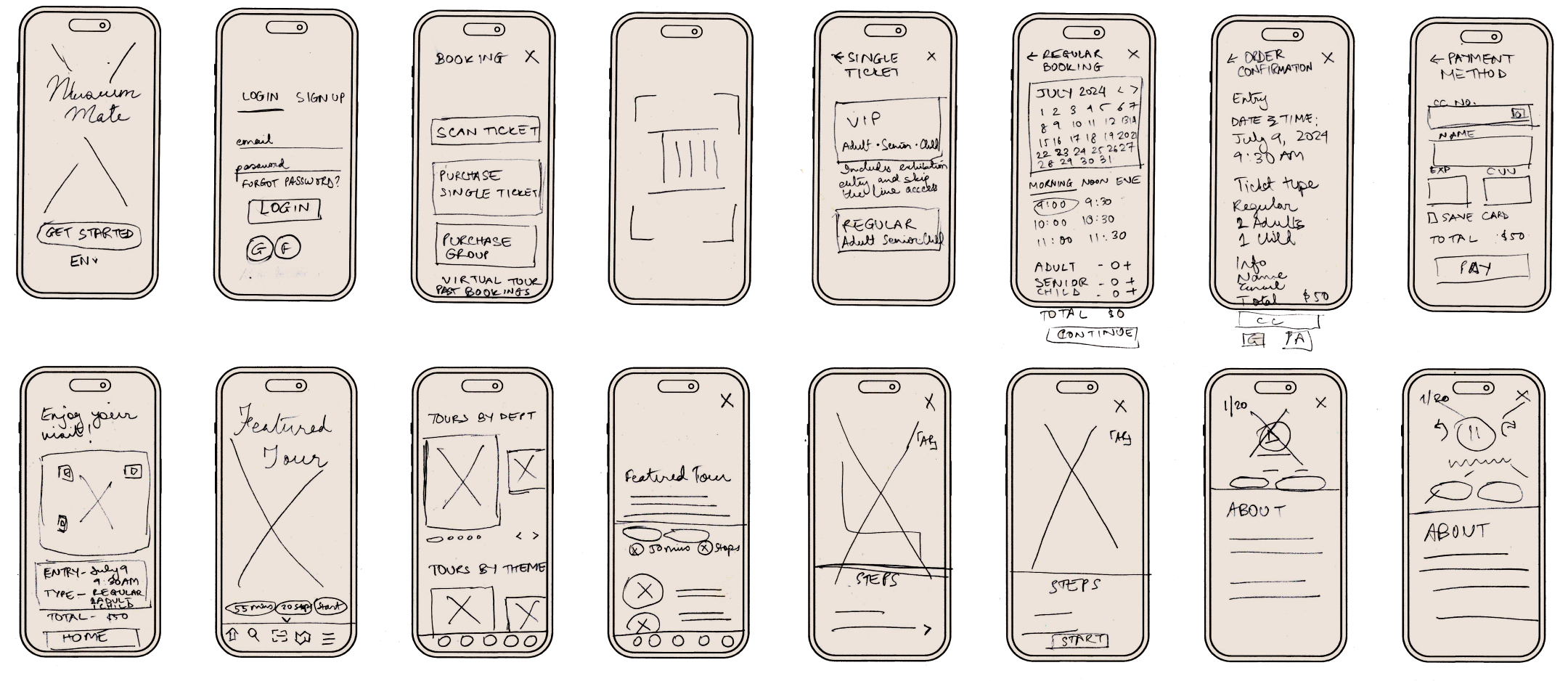
Sketches
These low-fidelity sketches represent the early exploration of the museum guide app’s user experience and core functionality. They map out key flows such as onboarding, ticket booking, tour selection, and in-museum navigation, helping to visualize how users move through the app from entry to exploration. By focusing on layout, hierarchy, and feature placement, these sketches allowed for rapid iteration and validation of ideas before moving into high-fidelity designs, ensuring the app’s structure is intuitive and aligned with user needs.

Style Guide
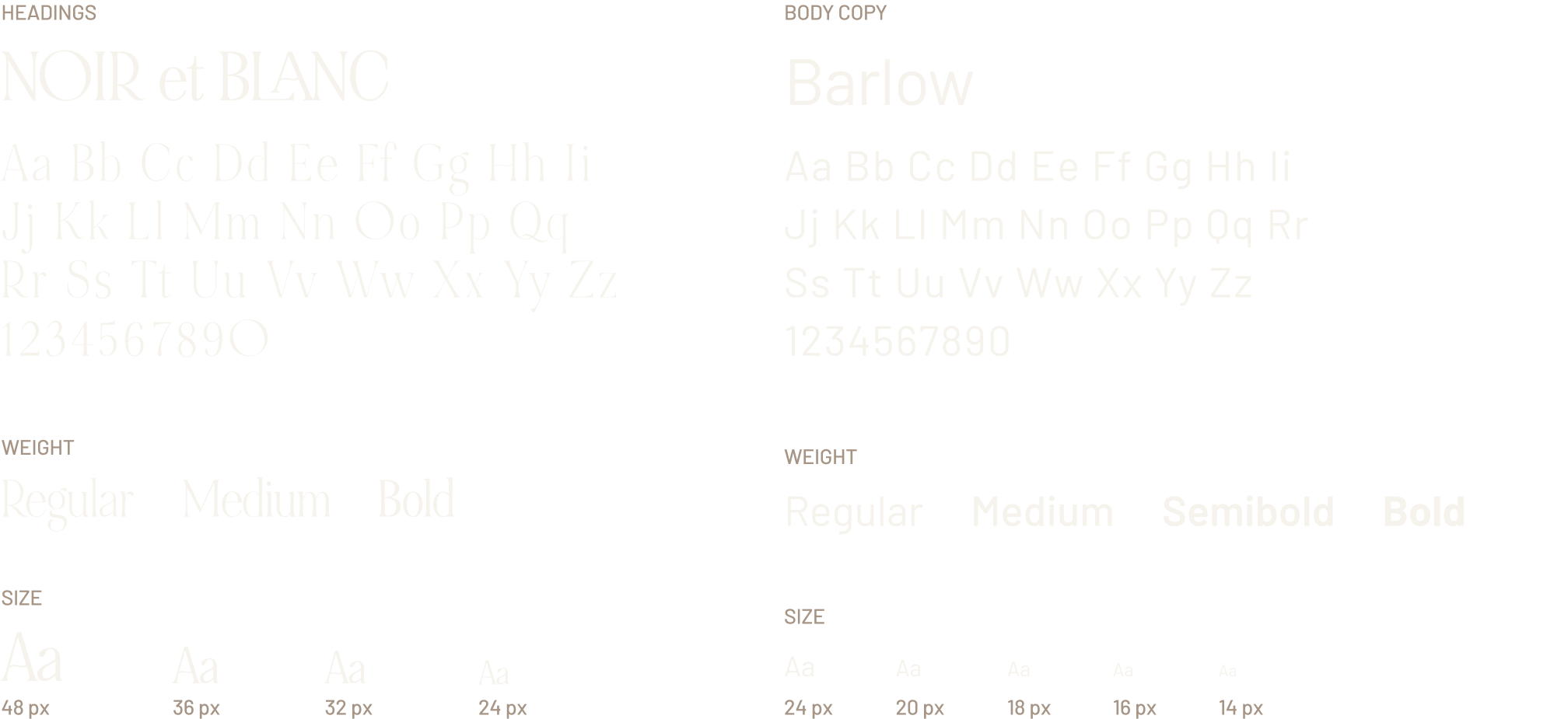
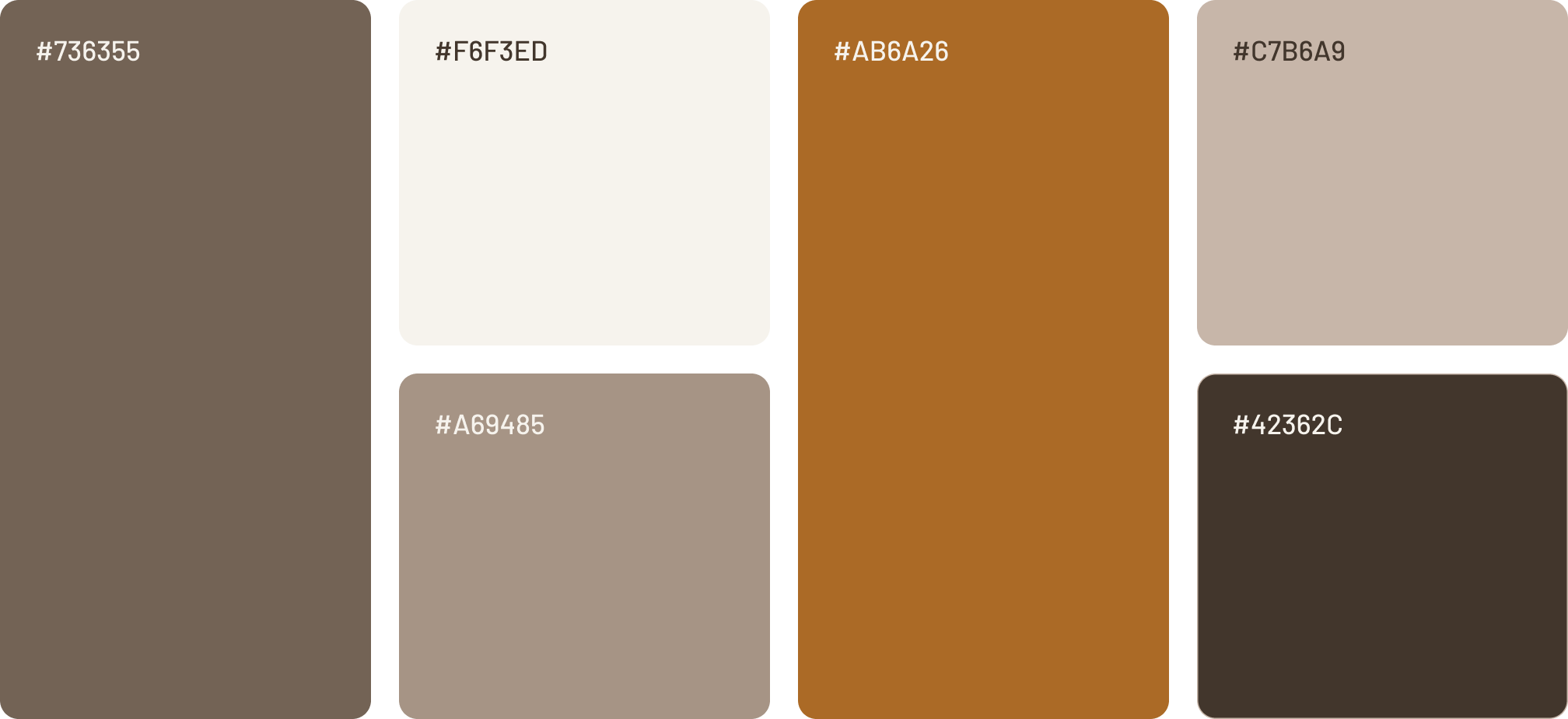
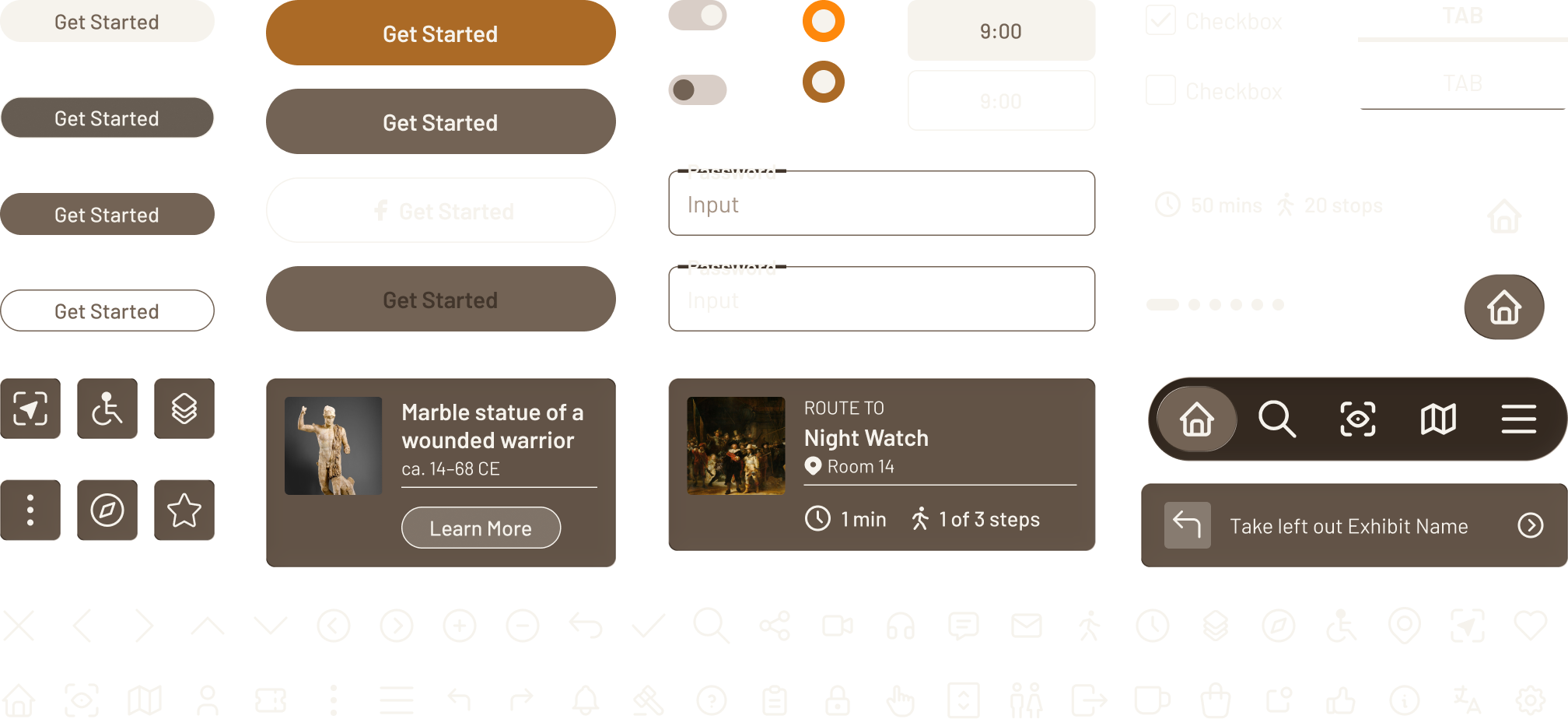
This style guide serves as the foundation for a cohesive and consistent visual identity across the product. It defines the core design elements—typography, color palette, and UI components—that work together to create a clear, accessible, and engaging user experience.
Wireframes
Interactive Prototype
These interactive prototypes bring the museum guide app to life by simulating real user interactions across key flows. The prototypes serve as a hands-on tool for stakeholder feedback, user testing, and refining the overall experience to ensure a smooth and intuitive museum visit.
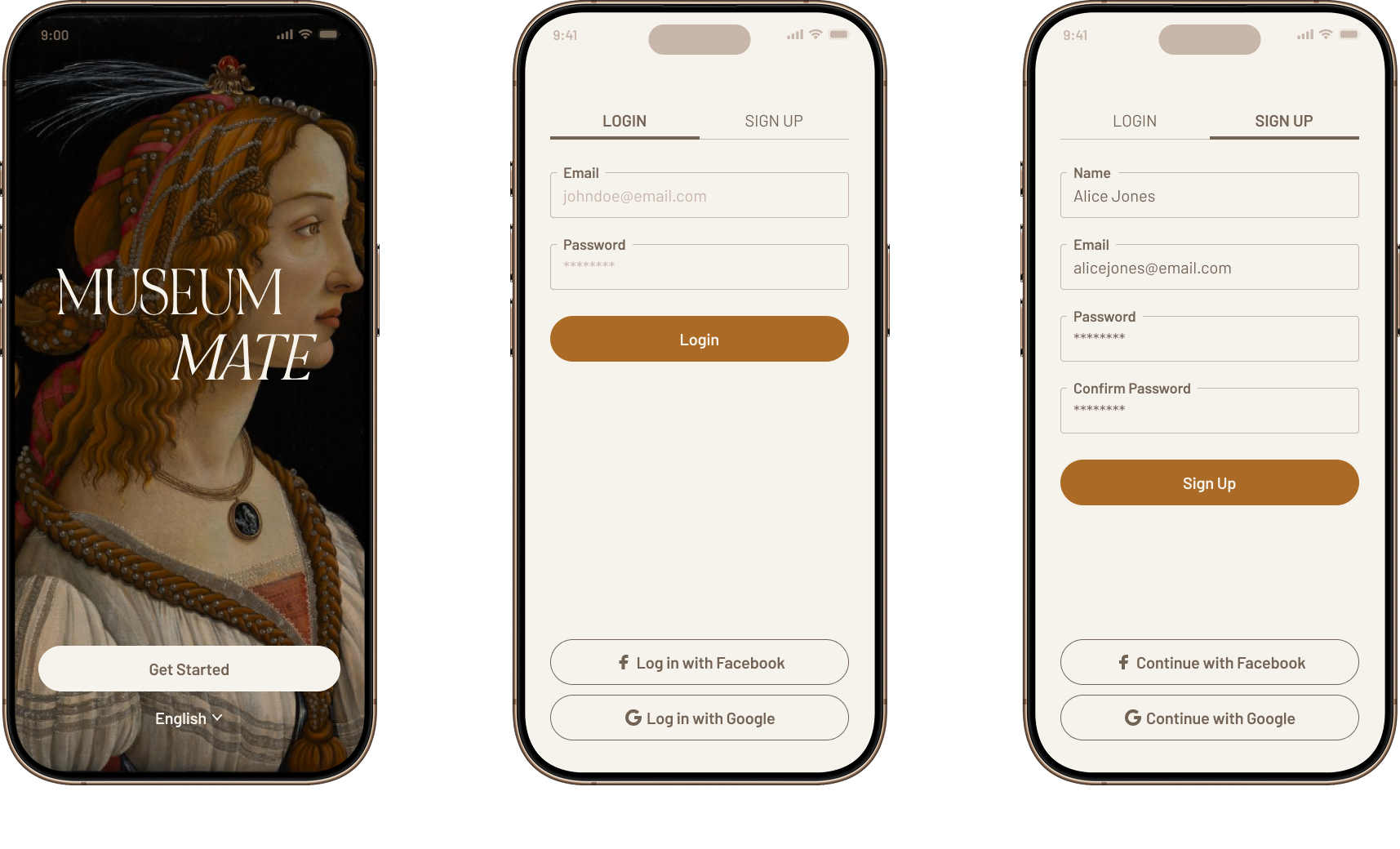
ONBOARDING
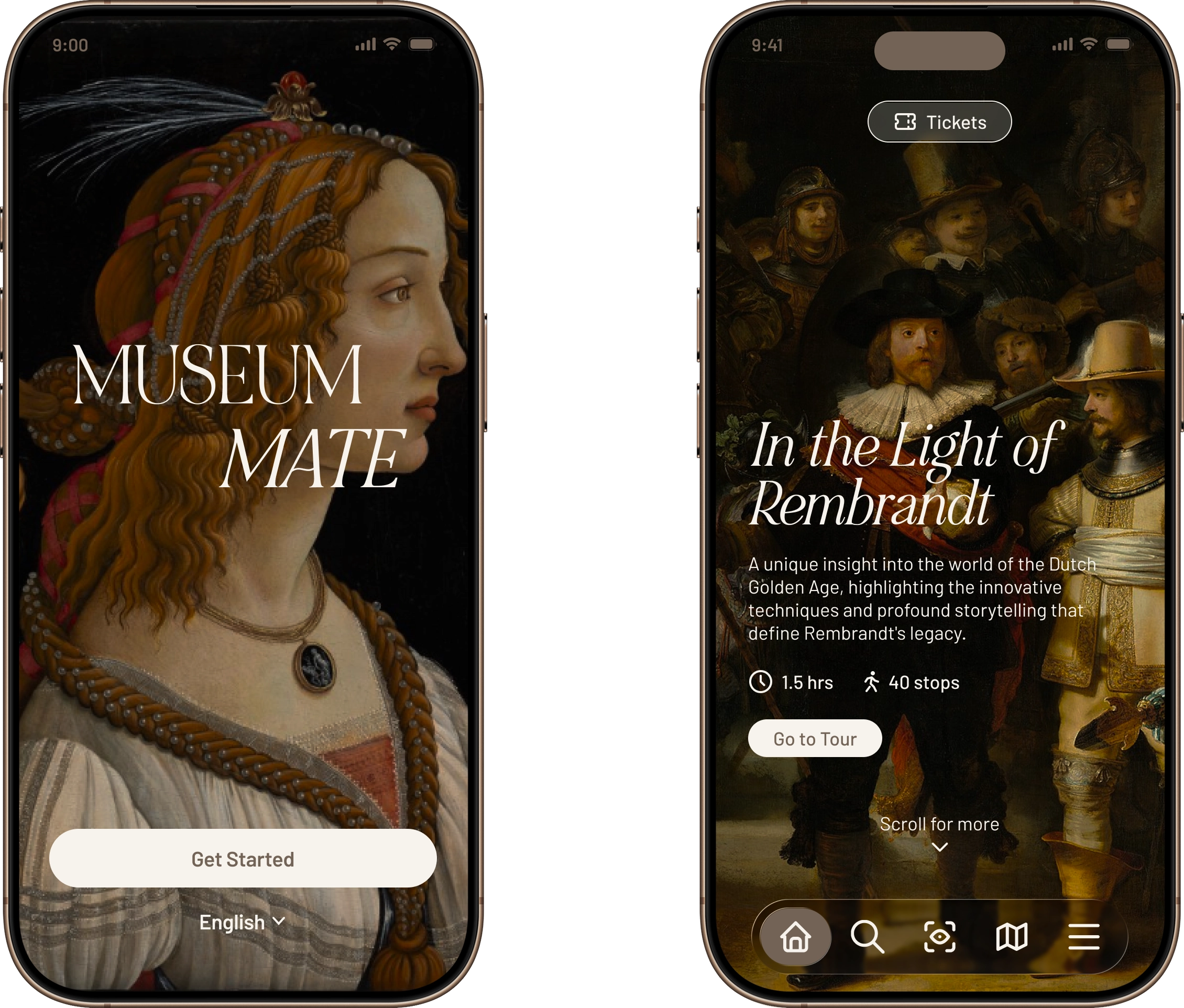
This section introduces users to Museum Mate through a welcoming splash screen followed by clear login and sign-up flows. It’s designed to feel simple, elegant, and low-friction, ensuring users can quickly create an account or log in and begin their museum journey without confusion.
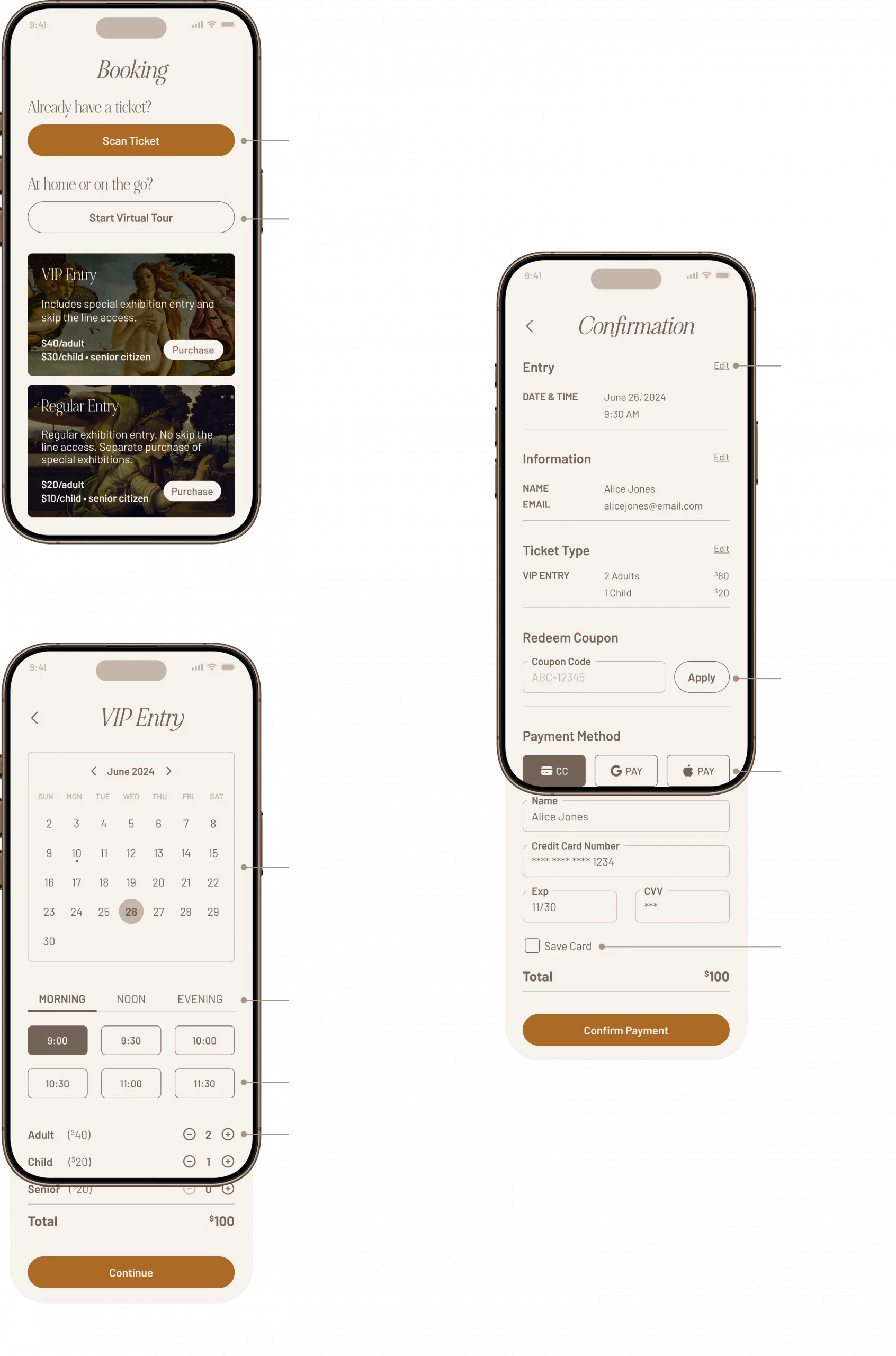
TICKET BOOKING
This ticket booking flow guides users through purchasing or accessing museum entry in a quick, structured way. Users can scan an existing ticket, start a limited virtual tour, or choose a ticket type, then select a visit date/time and number of guests. The flow ends with a clear confirmation screen where users can review details, apply a coupon, choose a payment method, and complete checkout.
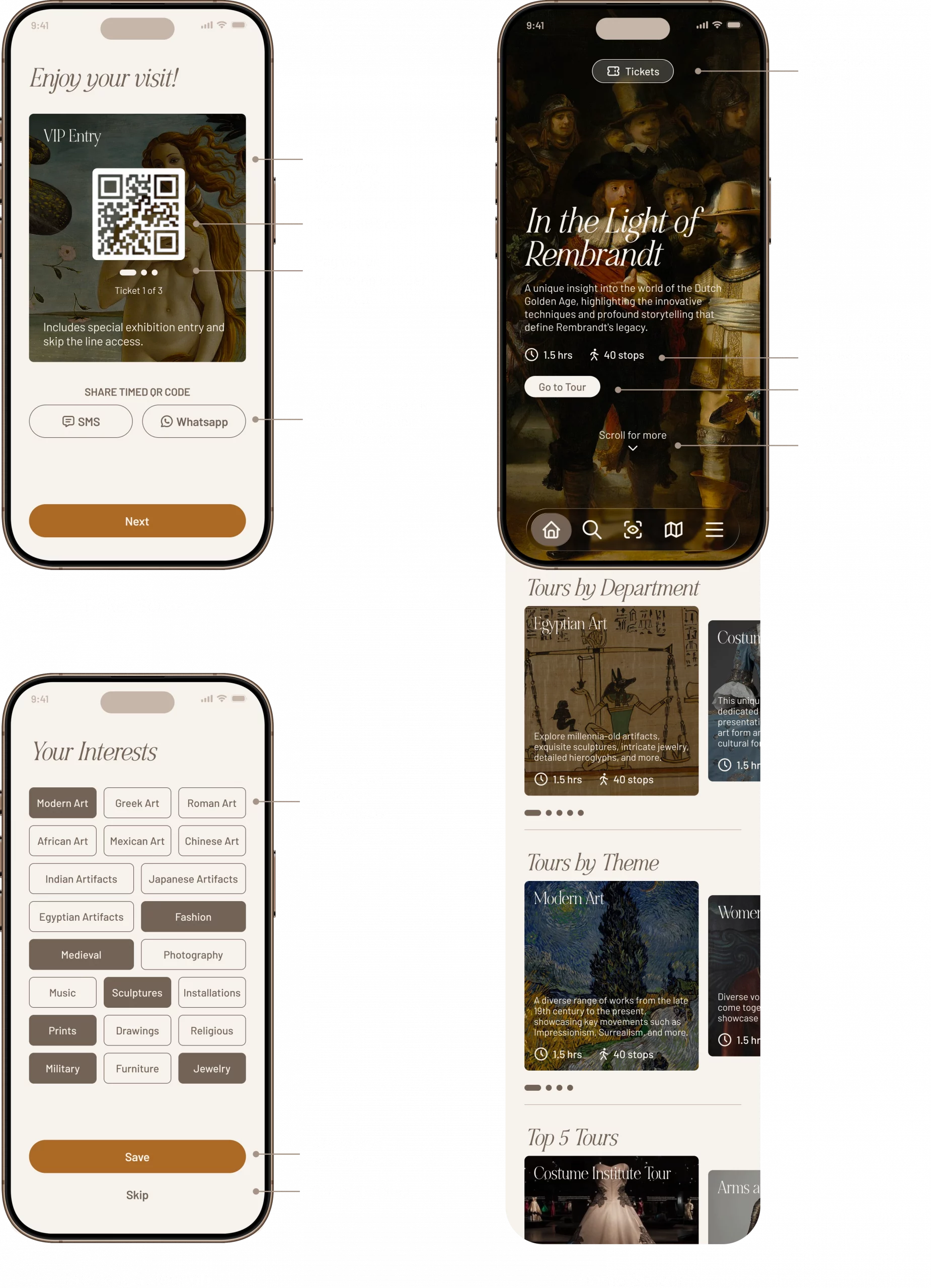
PERSONALIZATION AND HOME SCREEN
The booking confirmation screen provides users with instant access to their ticket through a scannable QR code, clearly showing ticket type, quantity, and easy sharing options for group entry. The interest selection screen allows users to choose multiple categories to personalize their experience and curate recommended tours. Once complete, the home screen becomes the main hub for exploring featured tours and browsing by department or theme, with quick access to tickets and key navigation tools.
FEATURED TOUR
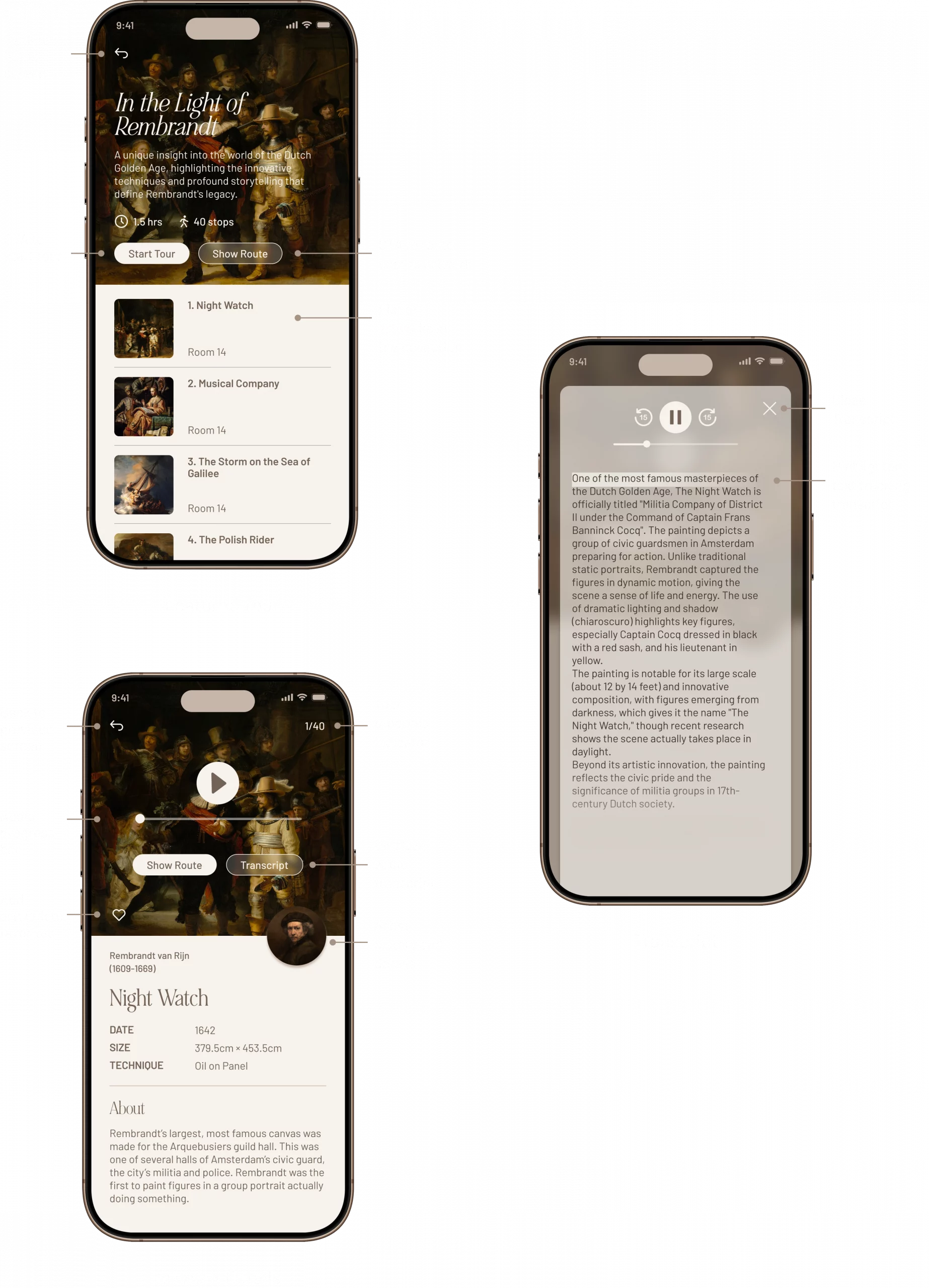
The main tour introduces the featured collection and provides clear actions to start the tour or view the route, along with a list of artworks included in the experience. The artwork details combines key artwork information with an audio player, allowing users to follow along, track progress, and save pieces to favorites. The transcript screen supports accessibility by displaying the audio narration in text form with highlighted tracking, making it easy to read along or reference content while exploring.
WAYFINDING
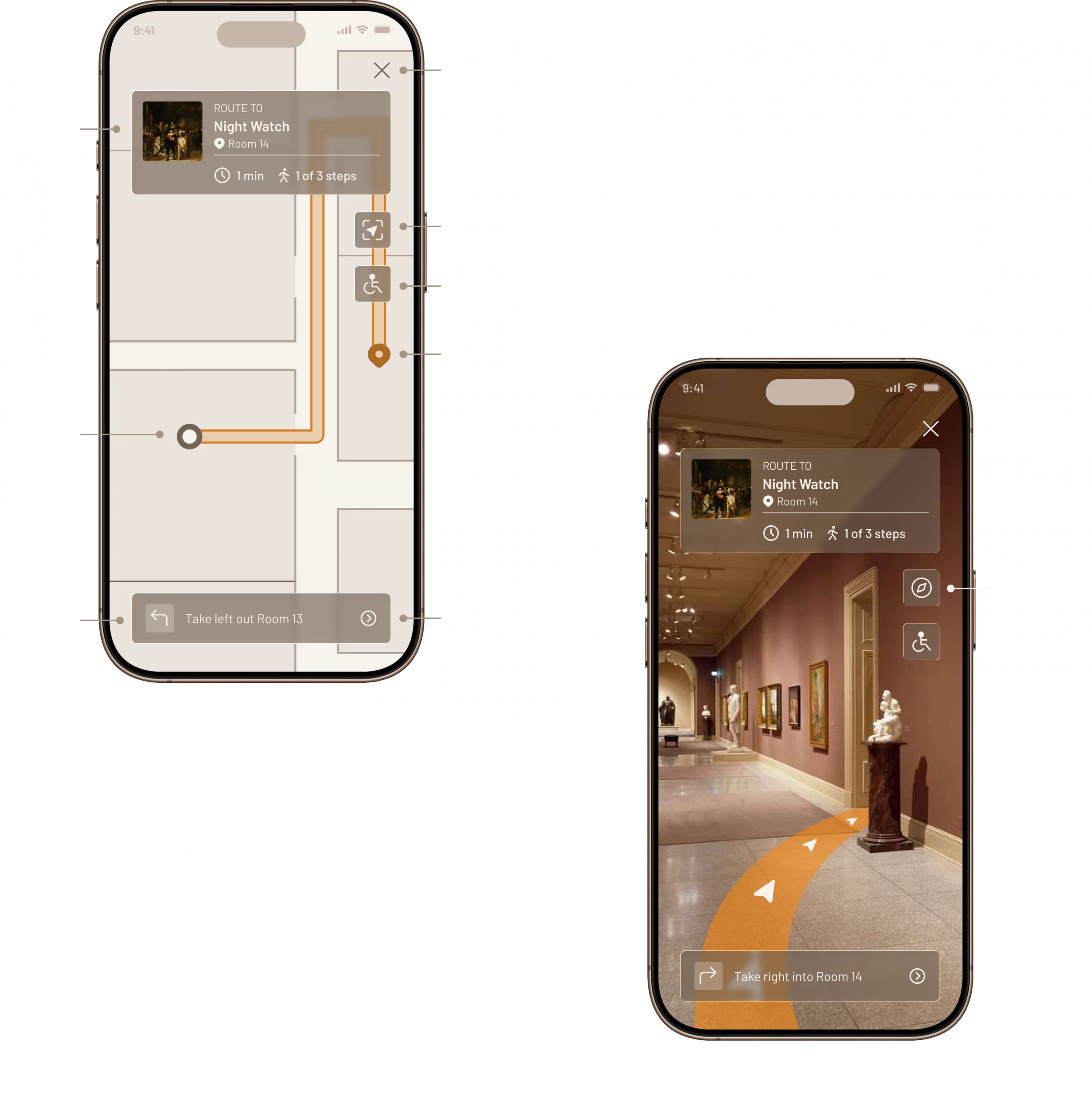
The Show Route feature helps users navigate directly to a selected piece using two guidance modes. In map view, users can see their current position, step-by-step directions, estimated time, and accessibility-friendly routing to reach the artwork efficiently. In AR view, the experience becomes more immersive by overlaying directional pathways onto the real environment, allowing users to follow visual cues in real time while still keeping key route details and the option to switch back to the map.
AR AND GAMIFICATION
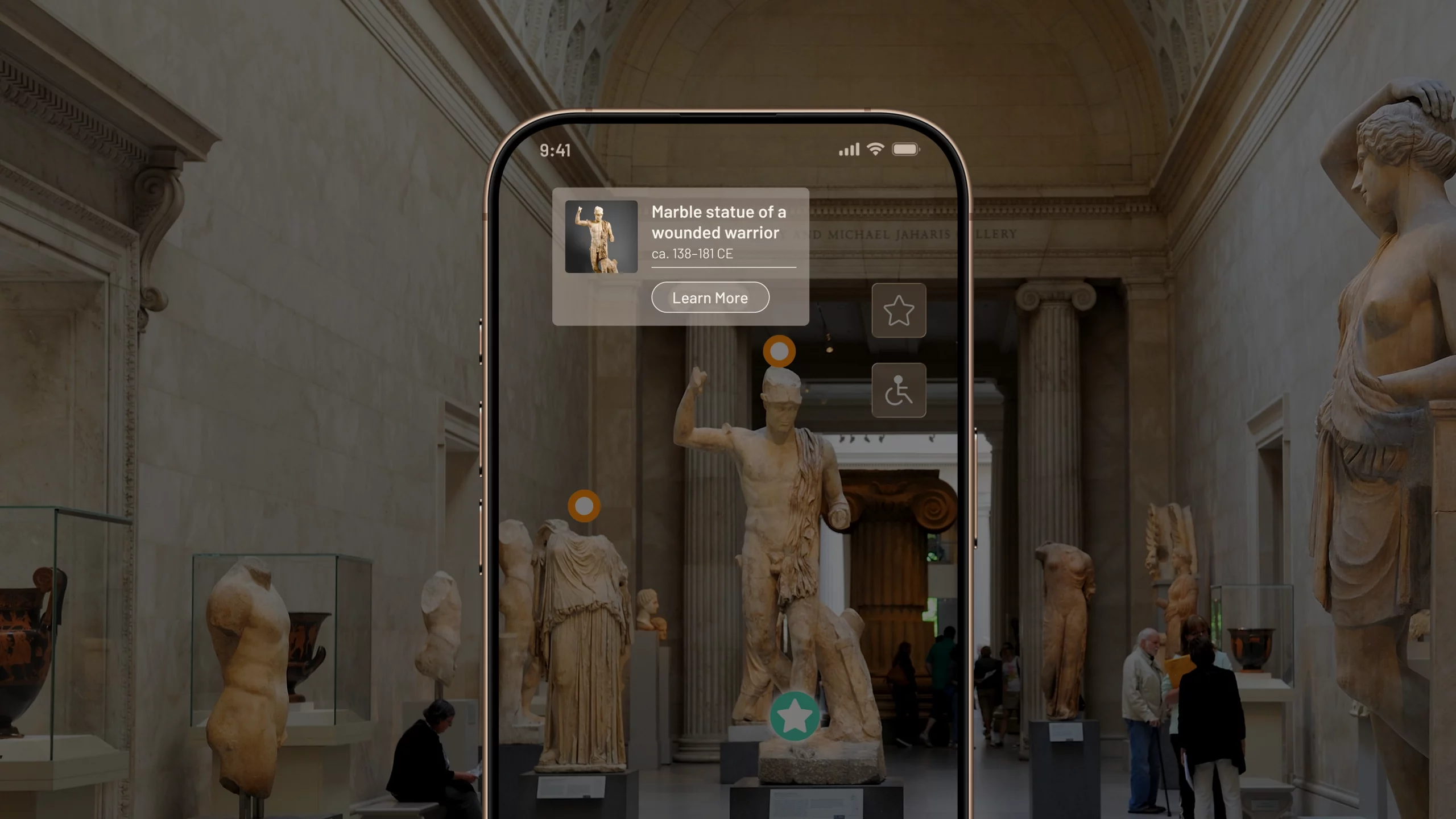
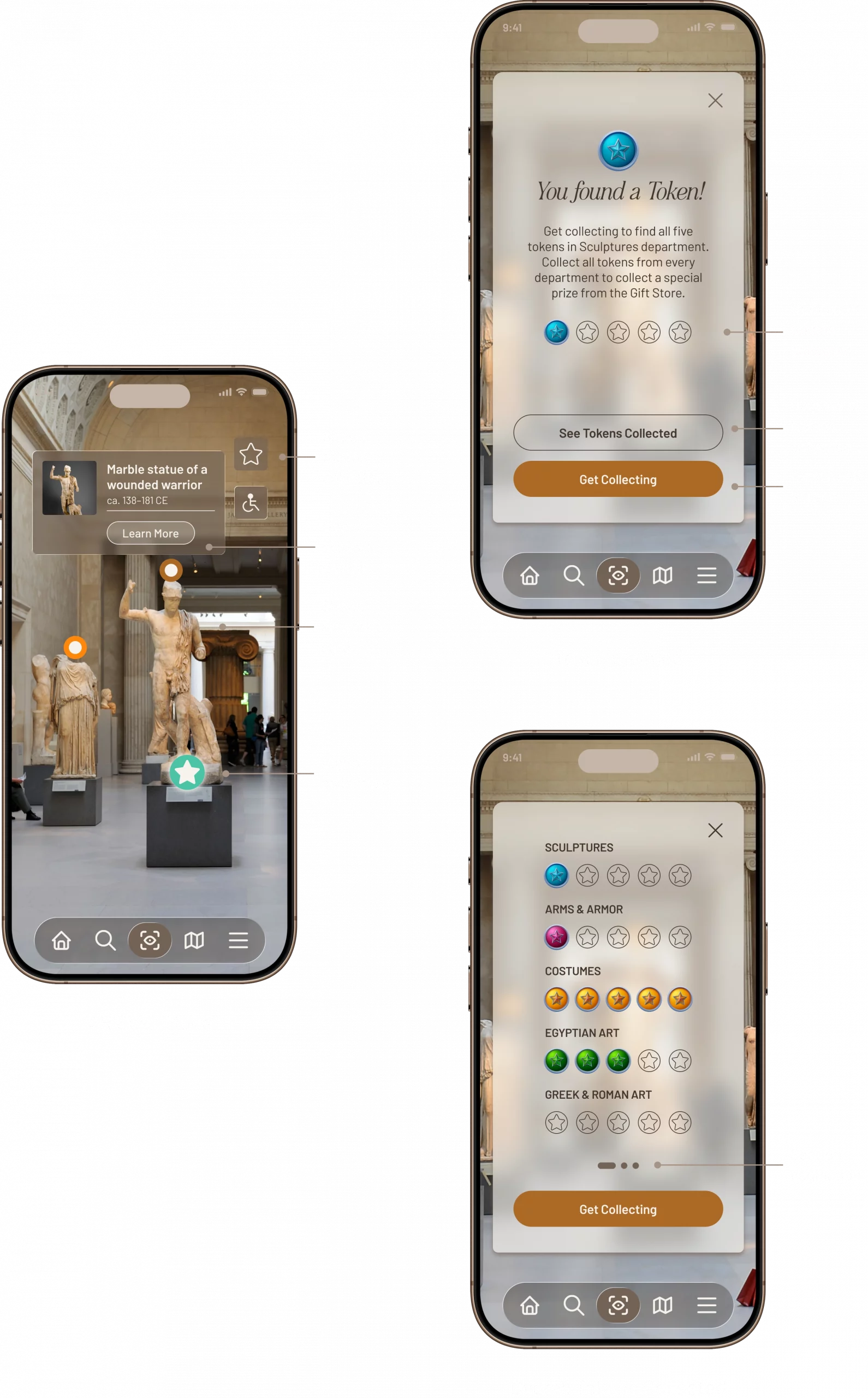
The AR Scan Mode allows users to explore exhibits through interactive overlays that appear when they tap on highlighted dots, revealing quick artwork details and a “Learn More” option. When a user taps the star icon, it indicates they’ve discovered and claimed a digital token, adding a gamified layer to the museum experience. Users can also track their progress by viewing how many tokens they’ve collected across departments, encouraging continued exploration and engagement.
OTHER SCREENS
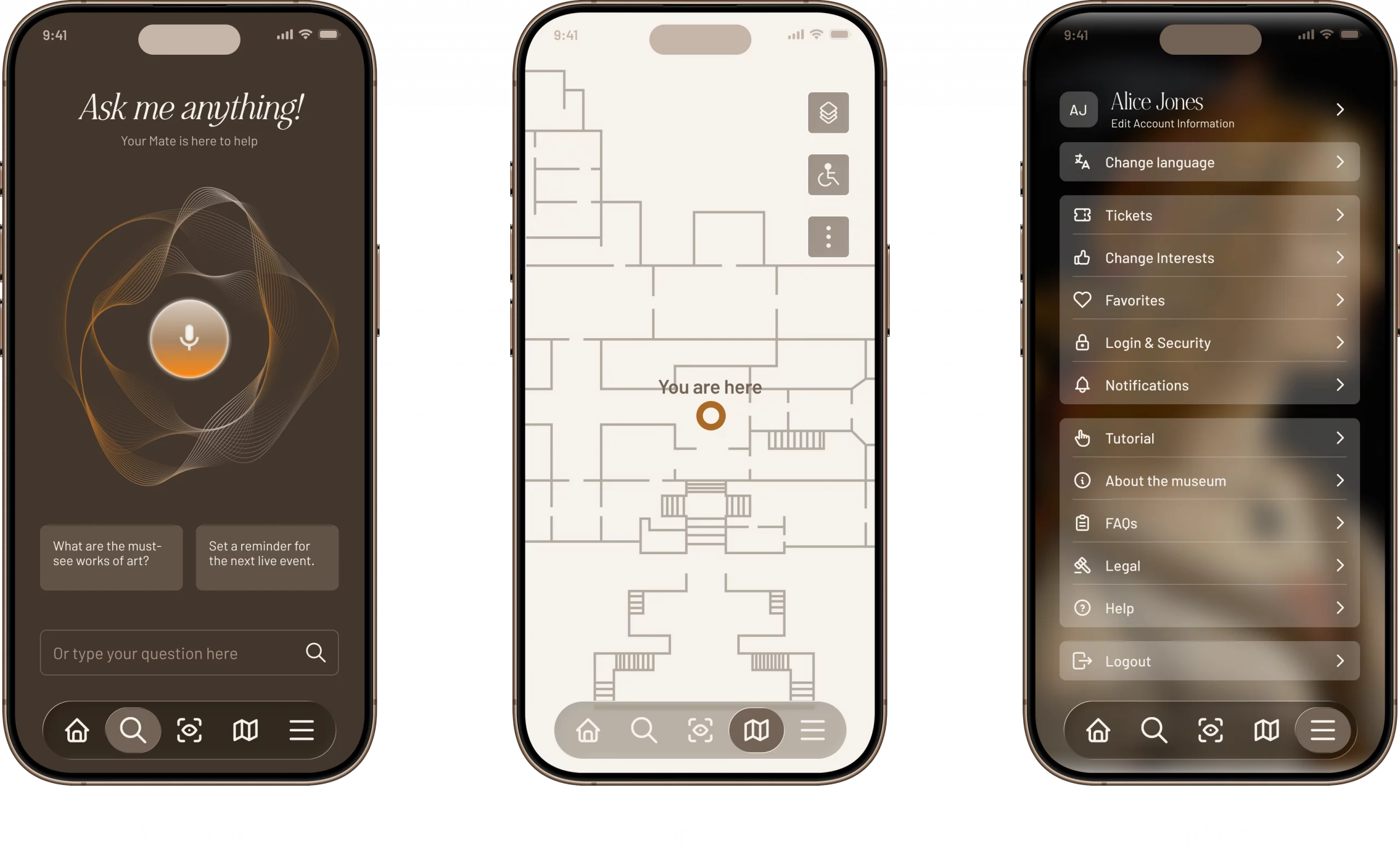
The AI Search, or Museum Mate, acts as a helpful “museum companion,” allowing users to ask questions by voice or text and quickly get recommendations like must-see artworks or upcoming events. The Map provides real-time wayfinding with a clear “you are here” indicator to help users navigate the museum efficiently. The Menu gives users easy access to account settings, tickets, favorites, language options, help resources, and other key app features in one centralized place.

Questionnaire
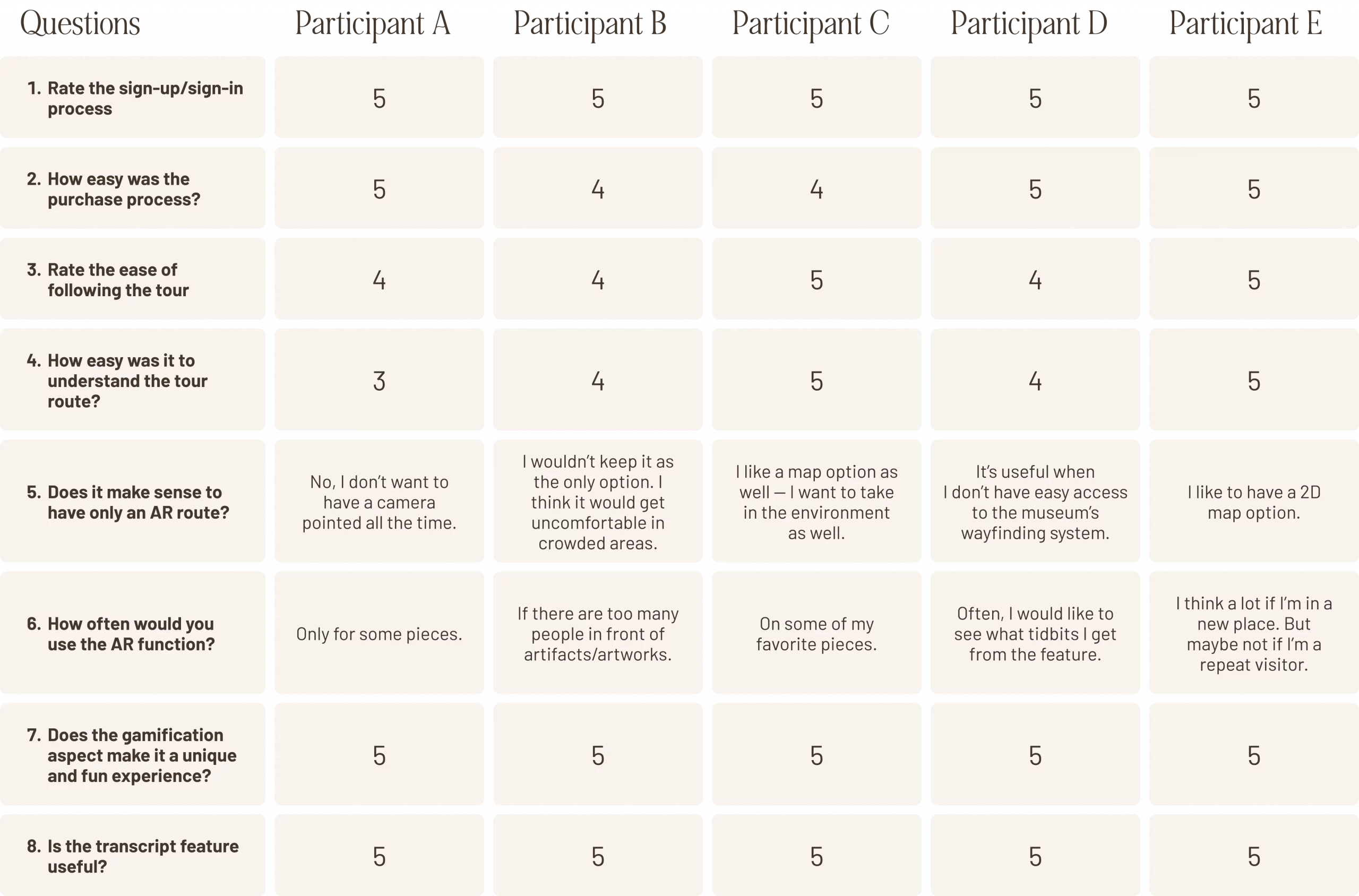
This questionnaire captures user feedback from five participants to evaluate the usability and overall experience of the museum guide app prototype. It measures key tasks like sign-in, ticket purchasing, and following a tour (using 1–5 ratings), while also collecting qualitative insights on features like AR routing, gamification, and transcripts. The results help identify what users found intuitive, what could be improved, and which features delivered the most value during testing.
Feedback
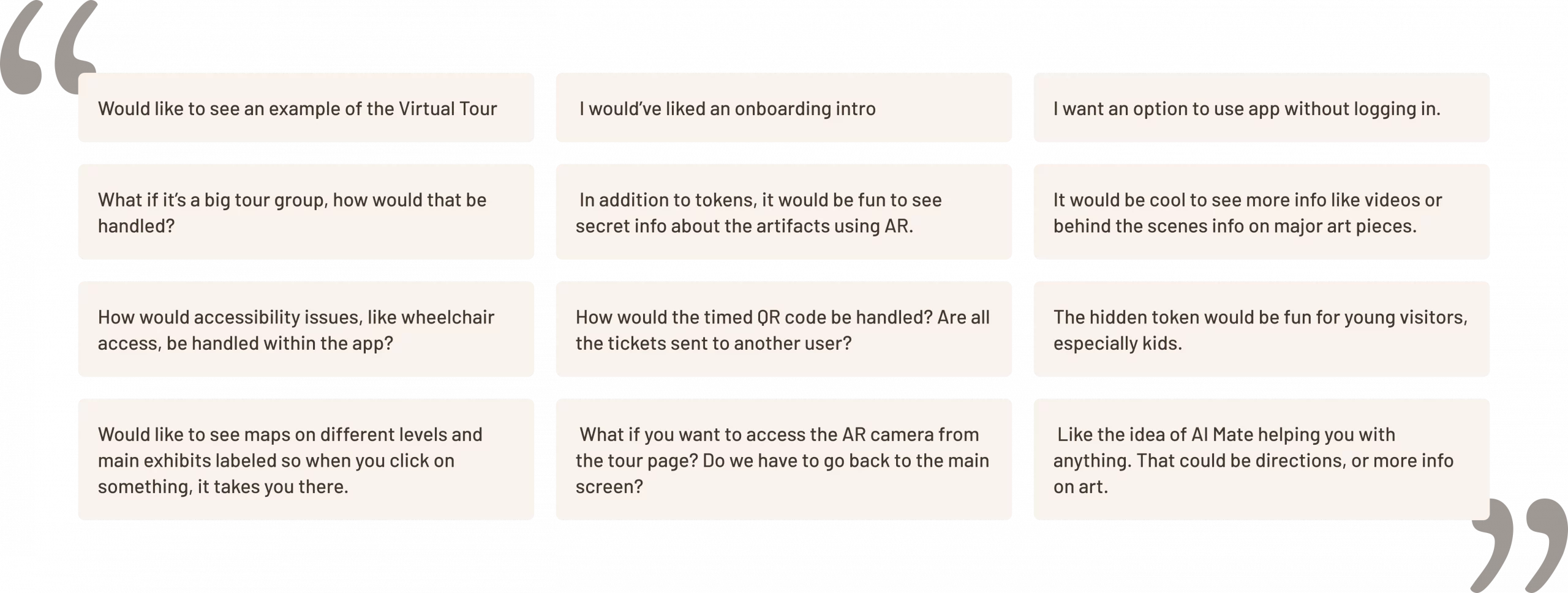
This user feedback highlights key areas where participants saw opportunities to improve the museum guide app experience. Users requested clearer onboarding and a virtual tour preview, along with the option to explore the app without logging in. They also raised important usability questions around handling large tour groups, accessibility support, multi-level maps, and smoother navigation between AR and tour screens. Overall, the feedback showed strong interest in deeper AR content, behind-the-scenes exhibit information, and the Museum Mate feature as a helpful tool for directions and learning more about artwork.
Reflections
Throughout this project, my learning experience focused on designing a museum guide app that feels intuitive, engaging, and realistic for visitors using it in a busy physical environment. I learned how important it is to map the full experience from start to finish, first with onboarding and ticket booking, then moving into exploration features like tours, AR scanning, and navigation, so users always understand what to do next without feeling overwhelmed.
One of my biggest takeaways was realizing that even exciting features like AR wayfinding and gamification still need to be supported by practical alternatives. User feedback showed me that AR shouldn’t be the only option for navigation, especially in crowded spaces or for visitors who don’t want to hold up their camera the entire time. This helped me understand the value of offering flexibility, such as switching between a standard map view and AR routing, and building in accessibility-friendly options.
I also learned how critical it is to design for different user types and scenarios, such as first-time visitors, families, and people with mobility needs. Testing insights reinforced the importance of small but impactful improvements like clearer onboarding, the option to explore without logging in, and more detailed maps across different museum levels. Overall, this project strengthened my ability to translate user needs into thoughtful design decisions, iterate based on feedback, and create an experience that supports both learning and discovery in a seamless way.