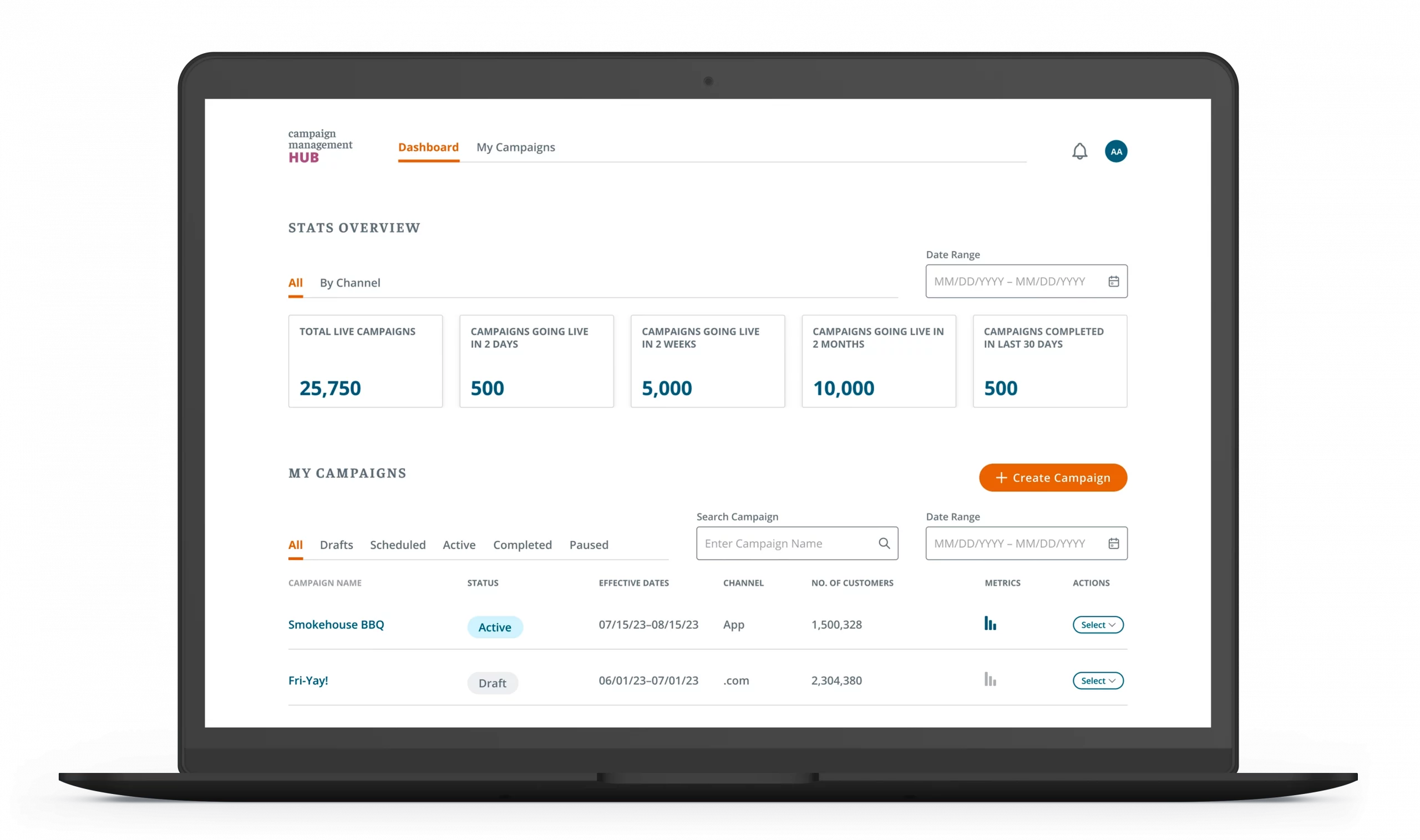

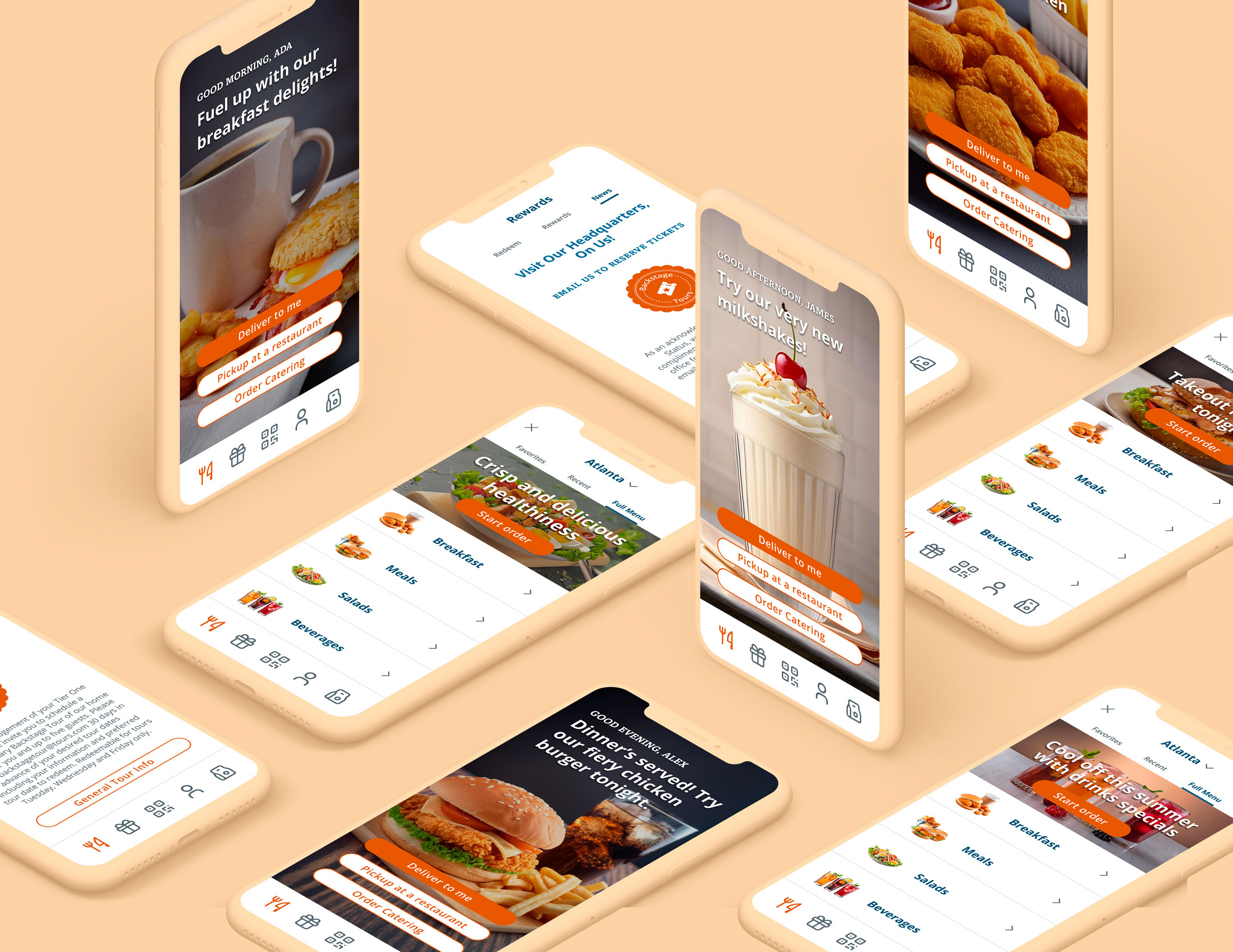
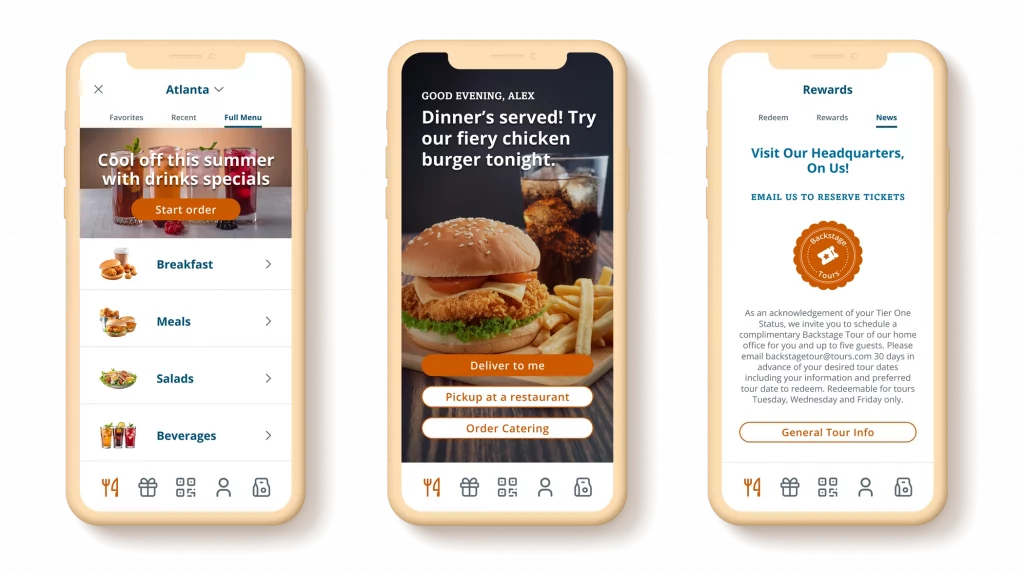
This powerful and user-friendly platform was designed for a fast food company which enables business users to create, manage, and deliver captivating marketing campaigns to its customers. The Content Management Hub lets users target campaigns to specific audience segments, monitor performance, and make data-driven decisions to enhance campaign success.
YEAR
2022
ROLE
Product Designer
Interaction Designer
THE PROBLEM
The company lacked an efficient, all-in-one tool for creating campaigns. The main issue was that messages had to be approved on one platform, images sourced from another, and there was no way to create targeted marketing for specific audience segments or track their performance in the market.
THE GOALS
To address these issues, the team agreed to develop a single platform where users can create and manage campaigns, track team activity to avoid duplicate messaging, obtain approvals from leadership, target specific app users, and monitor campaign performance both individually and comparatively.
Research and Empathy Mapping
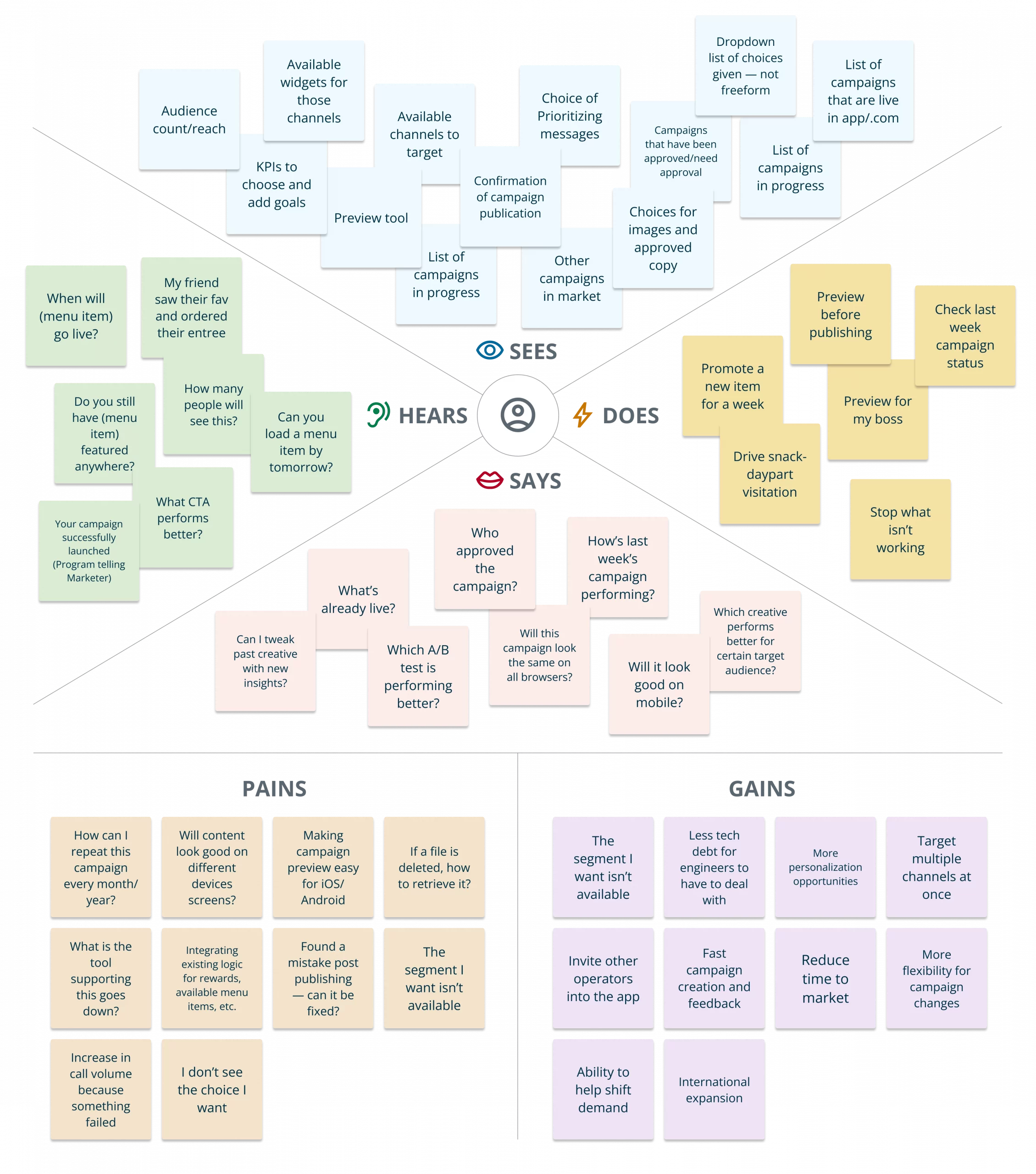
Initial team meetings and one-on-ones with team members were not providing a clear picture of what was required for this platform to be robust and functional. The best solution was to have an empathy mapping session with all the stakeholders, which laid out all the ideas/wants/needs that this platform would be able to deliver.
Insights
The empathy mapping session helped identify stakeholder needs, allowing us to focus on key MVP solutions. These included the ability to create campaigns with resources in one platform, organize content into groups and items for targeted audiences, track campaign performance individually or comparatively, and pause, edit, or delete campaigns. Additional requirements are listed in the table below.
- Ability to select Market, Channel, Time Duration, and Products.
- Define campaign goals when creating campaigns.
- What are the KPIs? Is the customer visiting/spending more because of the personalization?
- What is the available market count or estimated reach?
- Campaign statuses: Active, Approved, In Development, Paused, etc.
- List of available audience segments to target.
- Ability to prioritize campaign/message against other campaigns.
- Ability to preview before going live: App or UI preview to confirm that copy/image will display properly; socialize the campaign with bosses, colleagues, etc.
- What is the campaign workflow? Who has the access /ability to create/launch/edit/pause campaigns?
- List of available content and products: choice of images and approved copy.
- How to promote a new item for one week?
- Campaign status questions: Is (menu item) still being featured anywhere? What CTA will perform better? How many people saw or will see this campaign? Can I repeat the same campaign every month/year at the same time?
- Target audience selection/goal definition: What is the best creative for (X) audience? How to drive snack day part visitation?
The Dashboard
For the MVP, the focus is on personal campaign creation and tracking metrics, with future plans to add collaborator features.
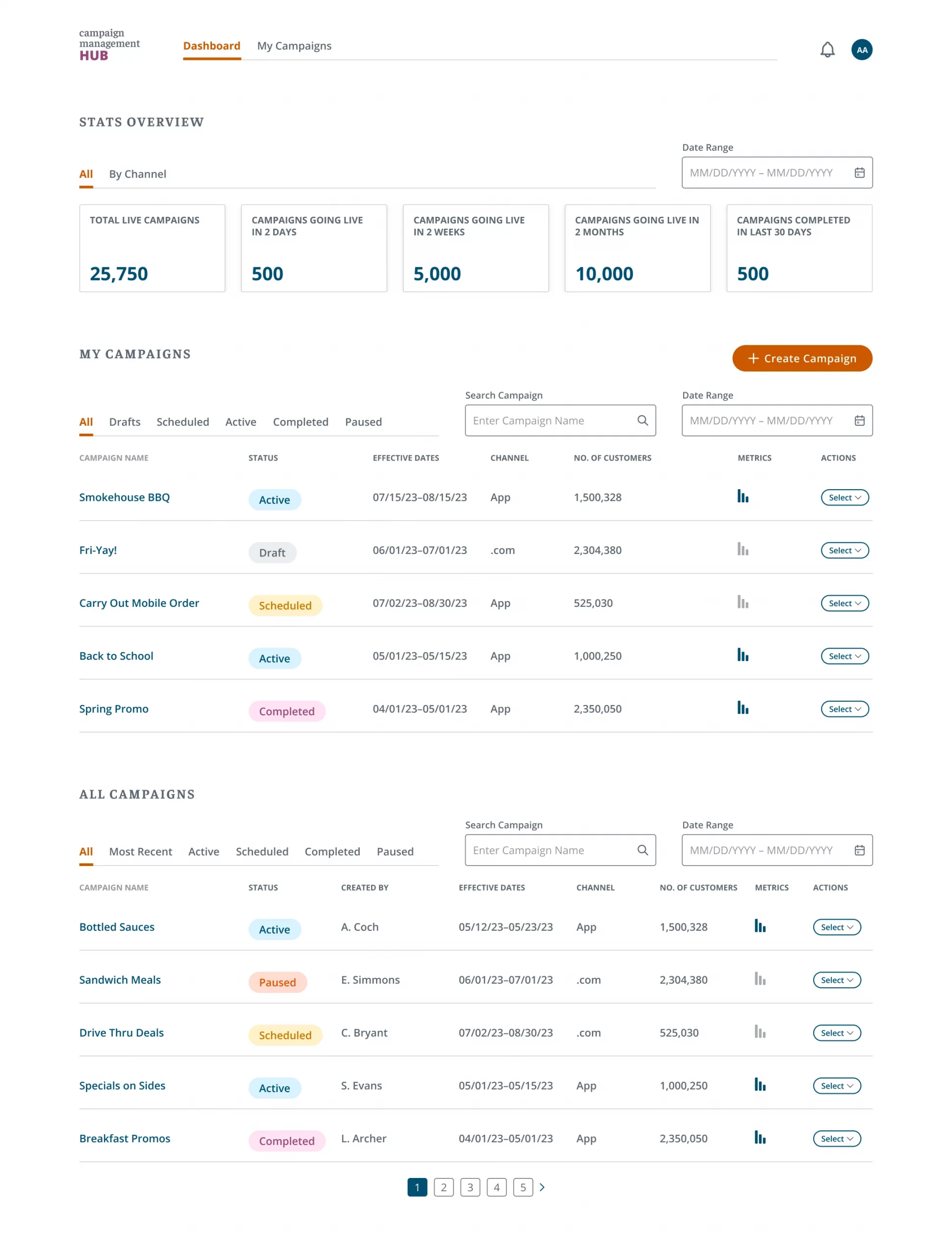
The dashboard provides an overview of campaign stats with the last 5 user-created campaigns listed below it showing name, status, target audience, start date, channel (App only for MVP), and available actions via the Select button. Campaigns from other users in the same region are listed separately.
To create a campaign, users click “Create Campaign.”
Campaign Creation
The video shows the campaign creation process, starting with clicking the CTA, naming the campaign, and being directed to the creation page.
Users can rename the campaign and select specific audiences, including niche clusters. Audience fields are optional and based on user preference.
Next, users set the campaign duration and choose the type of widget for targeted messages.
Splash Screen
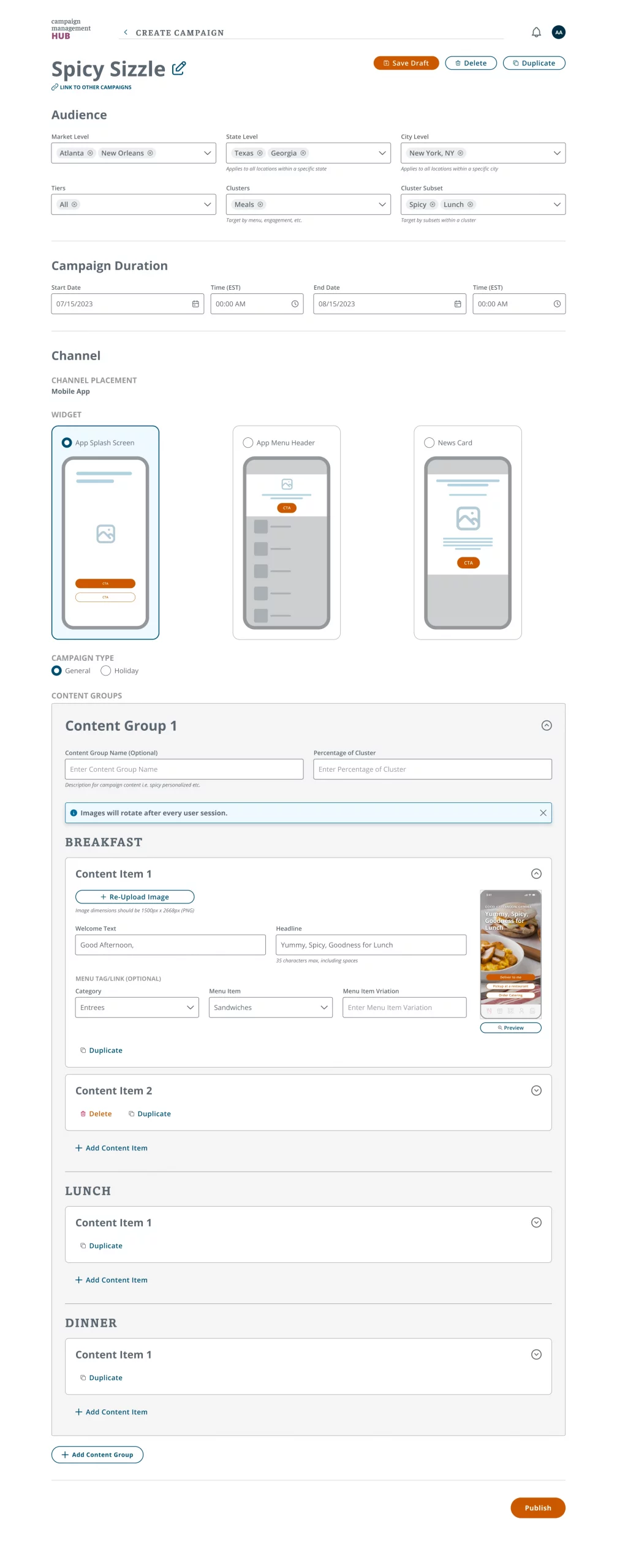
A Splash Screen is the first thing users see when opening the app, with its messaging changing by day part.
The image shows a hierarchical structure for organizing campaign content: Content Groups contain day parts, and Content Items are nested within them. Content Groups help segment audiences for tracking campaign performance.
Business users define Content Group names and allocate audience percentages, which can be less than 100%. If the total doesn’t reach 100%, more groups must be created via the “Add Content Group” button.
Content Items let users choose an image, customize text, and select a menu item. Up to 5 content items can be added, with a minimum of 1.
Menu Header
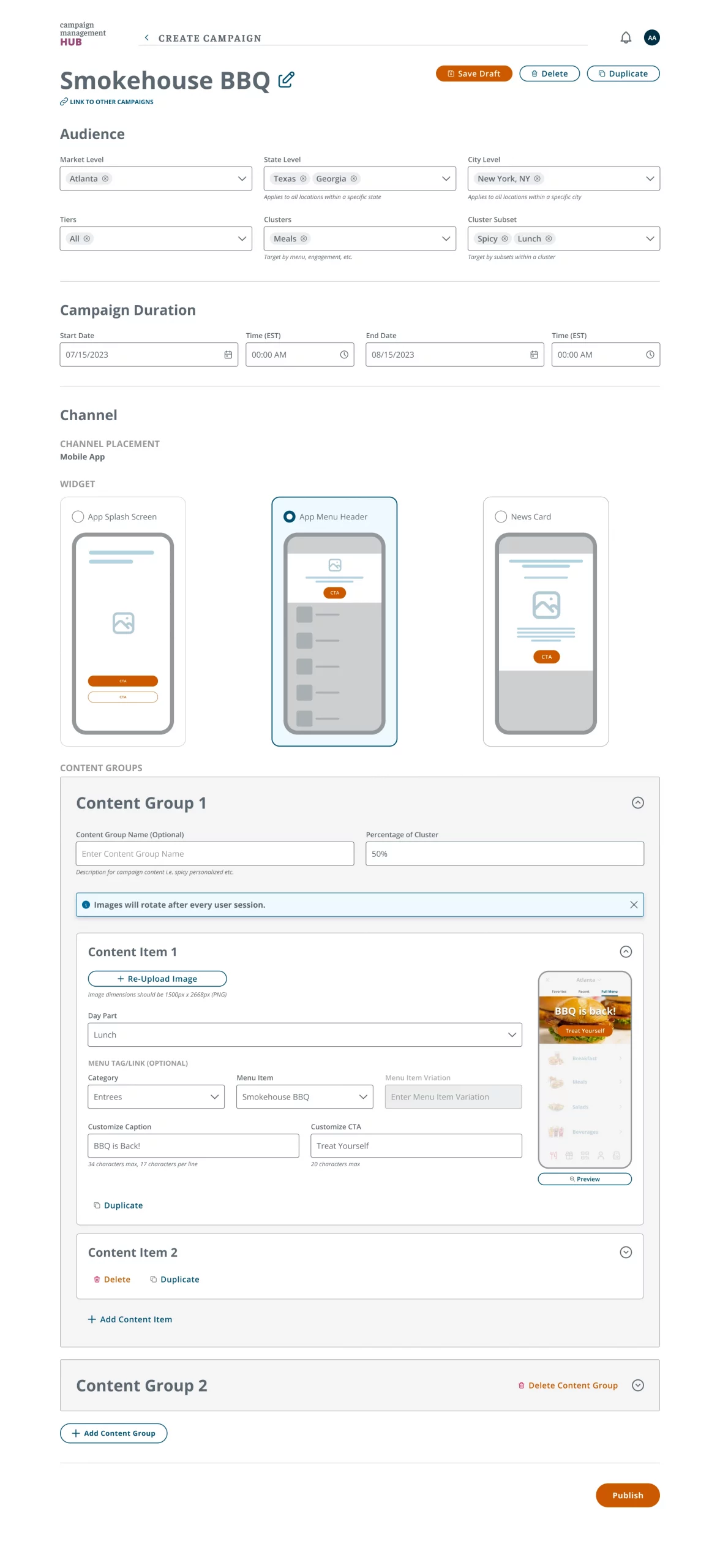
Menu Headers are what users see when accessing the full menu in the app. Like Splash Screens, they contain Content Groups and Items, but the day part is specified within each Content Item, not the group.
Users can add images, customize captions and CTAs, and specify the menu item for their target audience.
News Card
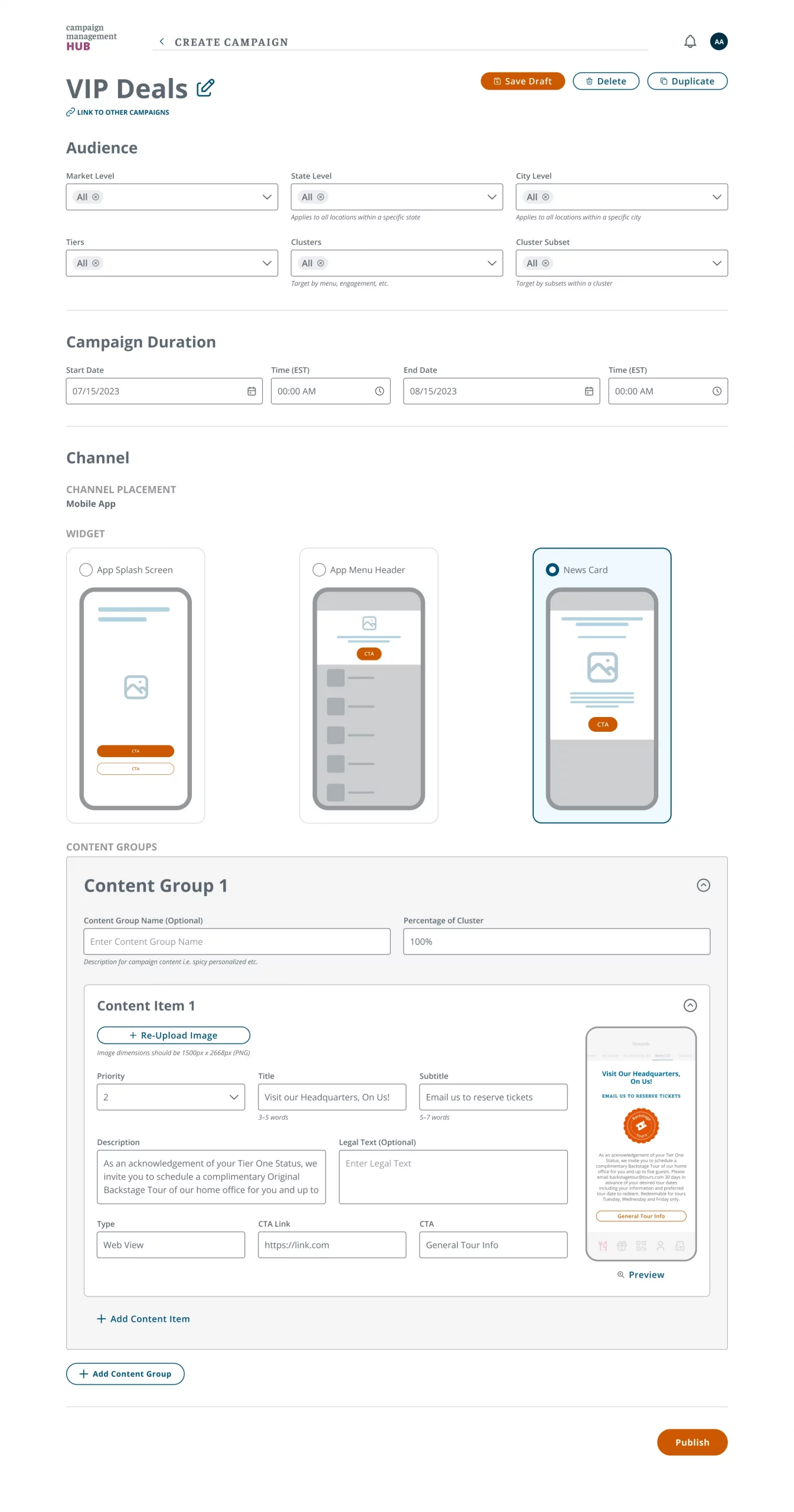
News Cards are offers or rewards for loyal customers who earn points through app purchases. They appear by Priority and have customizable fields for images, Title, Subtitle, CTA, and Description. Users must ensure the URL for the offer is valid and specify whether it’s an app or web link.
Campaign Metrics
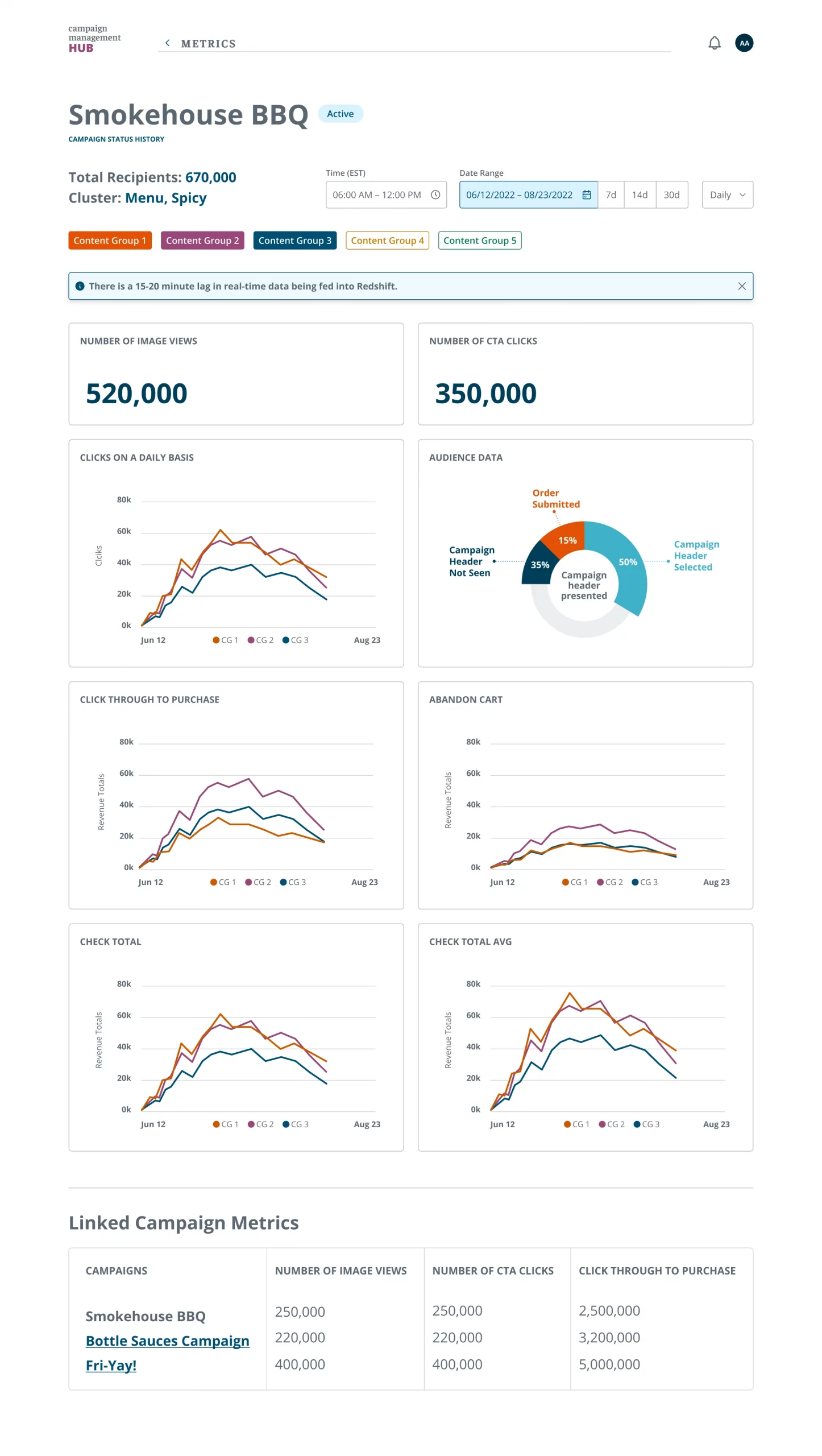
The Metrics page provides a detailed breakdown of campaign performance, showing total users who saw the campaign and any defined clusters. Users can filter by time, date, or Content Groups. Key metrics include views, CTA clicks, conversions, cart abandonment, successful purchases, and average order value.
If linked campaigns exist, comparative performance appears at the bottom with the option to view those campaigns. Users can also check the campaign’s Status History to see any pauses or edits made.
Project Outcome
Business Outcome:
This project successfully completed a high-fidelity Minimum Viable Product (MVP) within a defined timeframe. Stakeholder engagement was high, with strong enthusiasm for the project’s potential based on the prototypes. While unforeseen budgetary limitations led to a temporary pause in development, the groundwork for a future launch remains strong.
Personal Takeaways:
As lead UX Designer, I leveraged user research and empathy mapping to ensure the platform addressed critical user needs. The project identified a gap in the market for a custom-built digital campaign tool, tailored specifically to this company’s unique requirements. This experience proved invaluable, fostering cross-collaboration with stakeholders and developers.